Complete Product Documentation & Overview
⚡ Developer-First WordPress SEO, Performance & GEO (AI Search) Optimization Suite
ZS SEO Audit and Optimization is a modern, lightweight, developer-first WordPress SEO plugin engineered by Satish Thakor and Hiren Gediya.
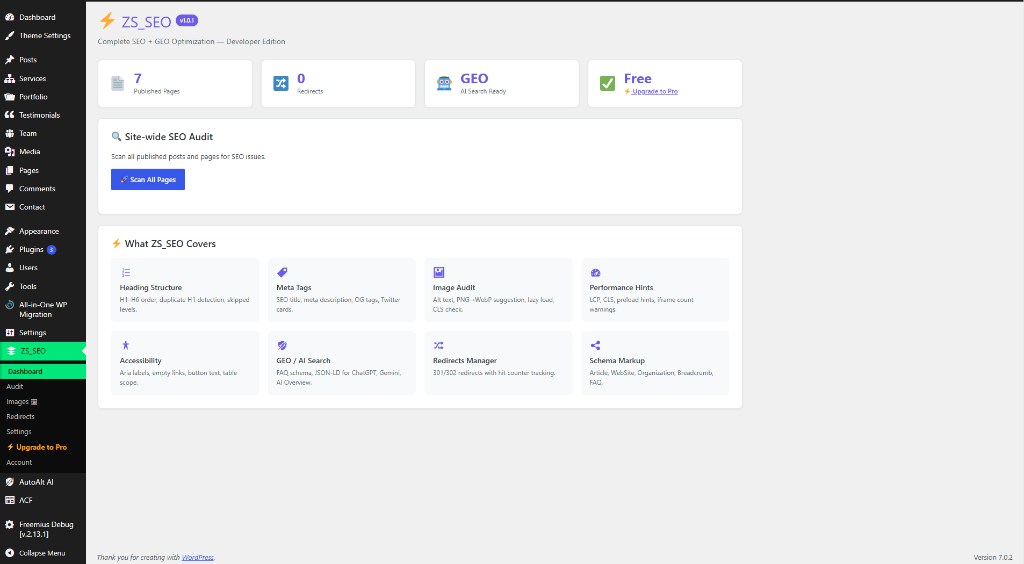
Unlike bloated legacy SEO plugins that flood your admin with invasive popup ads and slow down database queries, ZS SEO delivers clean, powerful, and actionable tools in a single unified dashboard — covering On-Page SEO, Heading Hierarchy, Image Audits, Accessibility Standards, JSON-LD Schema, AI Search (GEO), and Technical Redirects.
🌟 Detailed Feature Breakdown
1. 🔍 Live Technical SEO & Page Audit Engine (0–100 Scoring)
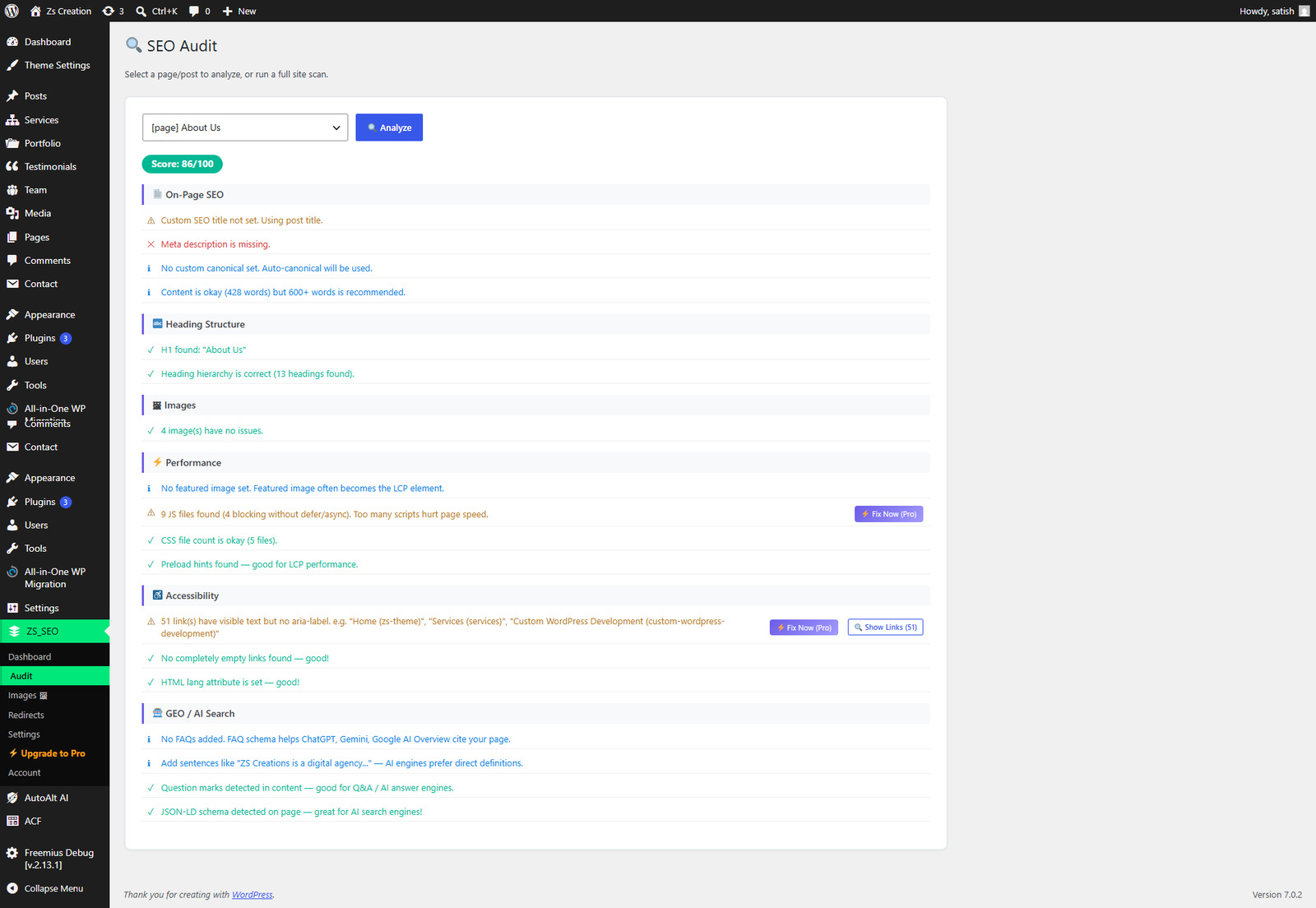
- How It Works: When you trigger a scan on any post or page, the audit engine analyzes the rendered DOM against 15+ technical SEO checkpoints and returns an instant SEO Health Score (0–100) with clear resolution steps.
- Heading Hierarchy Validation: Enforces sequential
H1–H6heading progression and flags duplicateH1tags or skipped heading levels (e.g.,H1 → H3warnings). - LCP & Core Web Vitals Auditing: Analyzes the Largest Contentful Paint (Featured Image) dimensions and file size to prevent layout shifts and slow render times.
- Accessibility Checker: Detects empty buttons, missing
aria-labelattributes, unlabelled anchor links, and missing HTMLlangattributes for WCAG compliance.
2. 🖼️ Smart Image Audit & Automatic Alt Text Sync
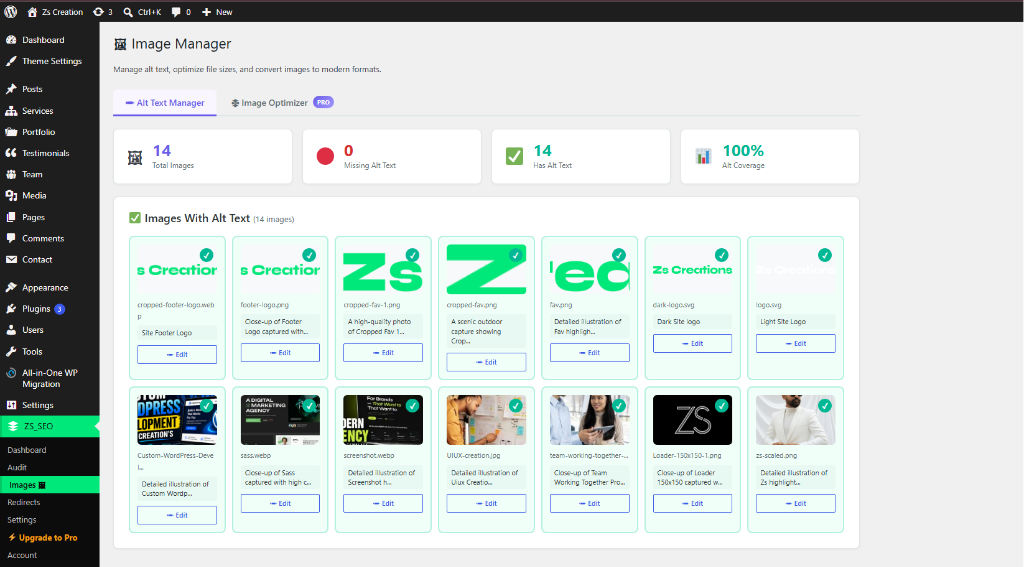
- Automatic Media Library Fallback: If an image inserted via the block editor is missing an
alt=""attribute in raw post HTML, the scanner automatically falls back to the WordPress Media Library metadata. - Frontend Runtime Injection: Automatically injects verified Media Library alt text via the
the_contentfilter during frontend rendering — eliminating the need to manually re-edit legacy posts. - Database Synchronization: Updating an image’s alt text in the Media Library immediately updates all associated posts and pages in the database.
- CLS Prevention: Flags missing
widthandheightattributes to prevent Cumulative Layout Shift during image load. - Next-Gen WebP Recommendations: Identifies heavy PNG/JPEG images and provides WebP conversion guidance (~40% smaller file sizes).
3. 🤖 GEO — Generative Engine Optimization (AI Search Ready)
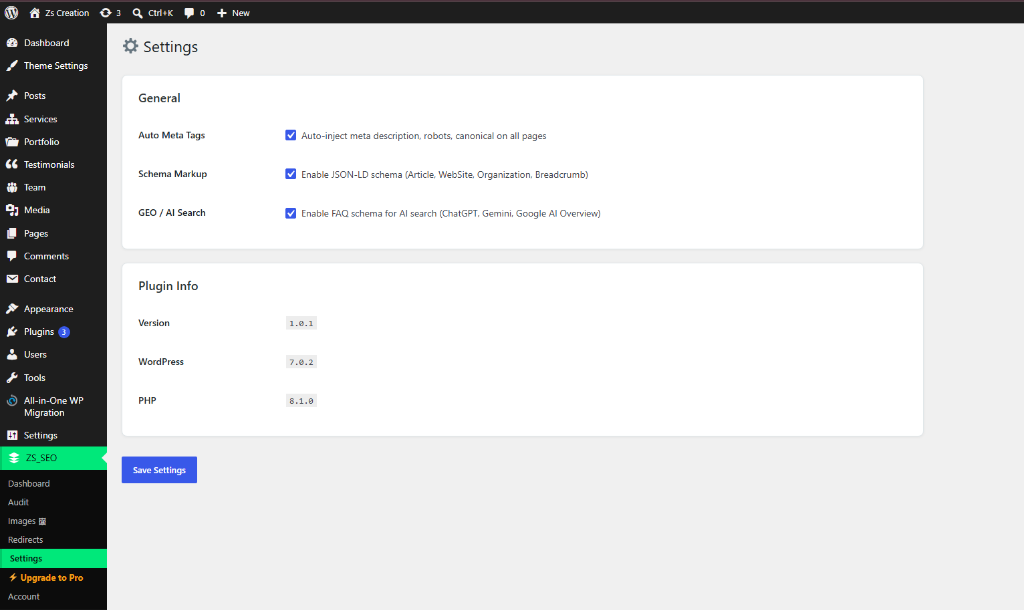
- AI Search Engine Readiness: Optimizes your content structure so AI search engines (Google AI Overviews, ChatGPT Search, and Google Gemini) can cite and summarize your pages.
- Visual FAQ Schema Builder: Build custom Question-and-Answer schemas directly inside the post editor with zero coding required.
- JSON-LD Output: Injects valid W3C-compliant
<script type="application/ld+json">structured data to power rich snippets in search engine results.
4. 🏷️ On-Page SEO & Social Graph Meta Box
- Live Character Guidance: Real-time character counters for Meta Title (recommended max 60 chars) and Meta Description (recommended max 160 chars).
- Robots Meta Directives: Granular per-post robots control (
index/noindexandfollow/nofollow). - Canonical URL Management: Define custom canonical URLs to prevent duplicate content indexing issues.
- Automated Social Cards: Automatically generates Open Graph (Facebook, LinkedIn, WhatsApp) and Twitter Cards metadata with preview capability.
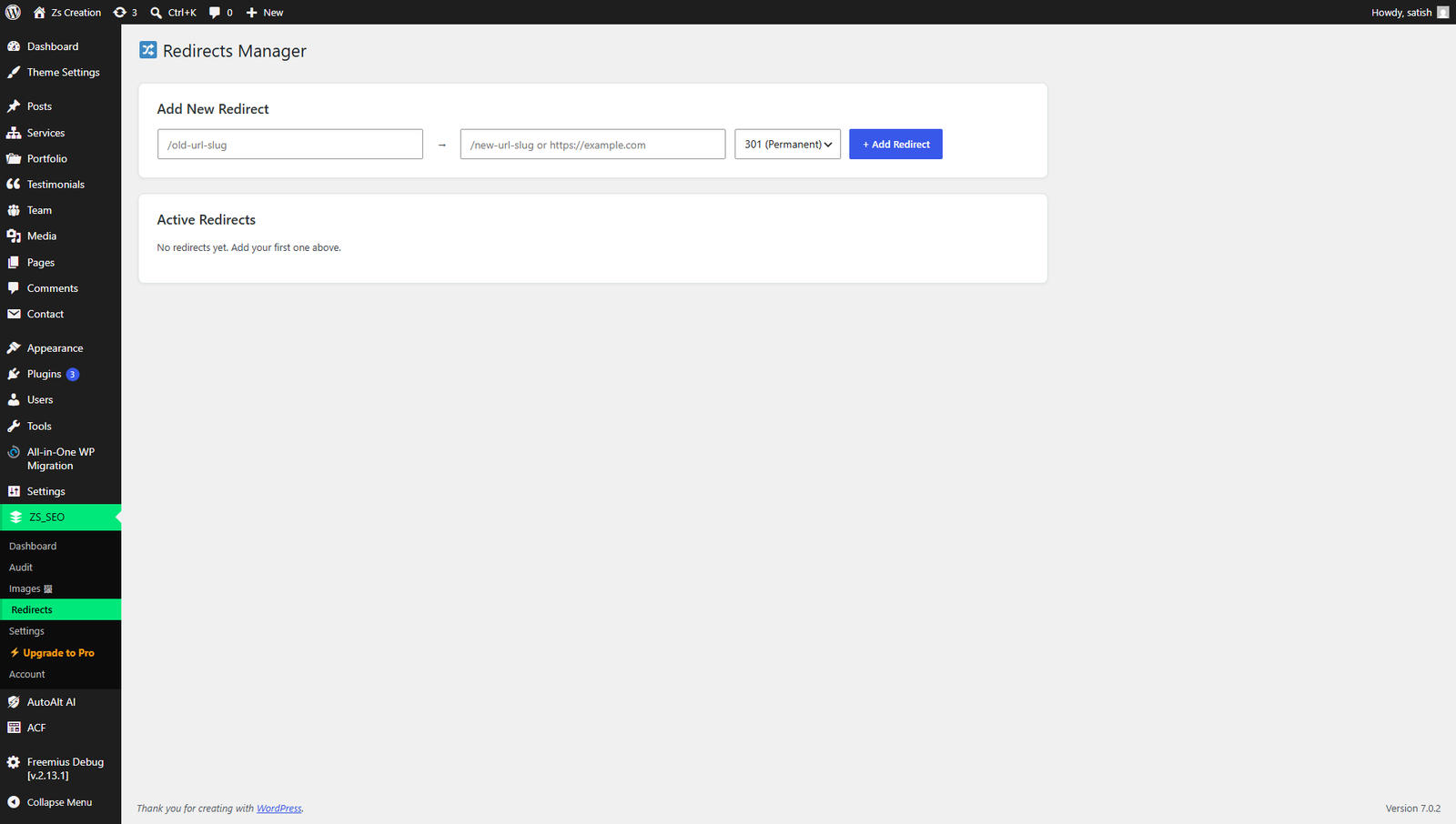
5. 🔀 Built-in 301 / 302 Redirects Manager
- Zero Plugin Dependency: Replaces the need for third-party redirect plugins.
- Broken Links (404) Healing: Easily map old, moved, or deleted URLs to target destination URLs using 301 (Permanent) or 302 (Temporary) redirects.
- Real-time Hit Counter: Monitor traffic counts on each active redirect rule directly from the admin dashboard.
6. 🏗️ Developer-Grade Architecture
- Zero Frontend Bloat: Absolutely zero jQuery or heavy third-party JavaScript loaded on the frontend.
- Clean OOP & Namespaced PHP: Fully modular, autoloaded classes following PSR standards — 100% conflict-free.
- Extensible Hooks & Filters: Every critical component is filterable via WordPress standard actions and filters (
apply_filters('zs_seo_is_pro', false)). - Privacy & Security First: No remote telemetry, no hidden background tracking, and no external unauthorized server calls.
🚀 How It Works (Simple 3-Step Workflow)
Step 1: Install & Activate
└── Navigate to Plugins > Add New > Upload "zs-seo-audit-optimization"

Step 2: Run an Audit Scan
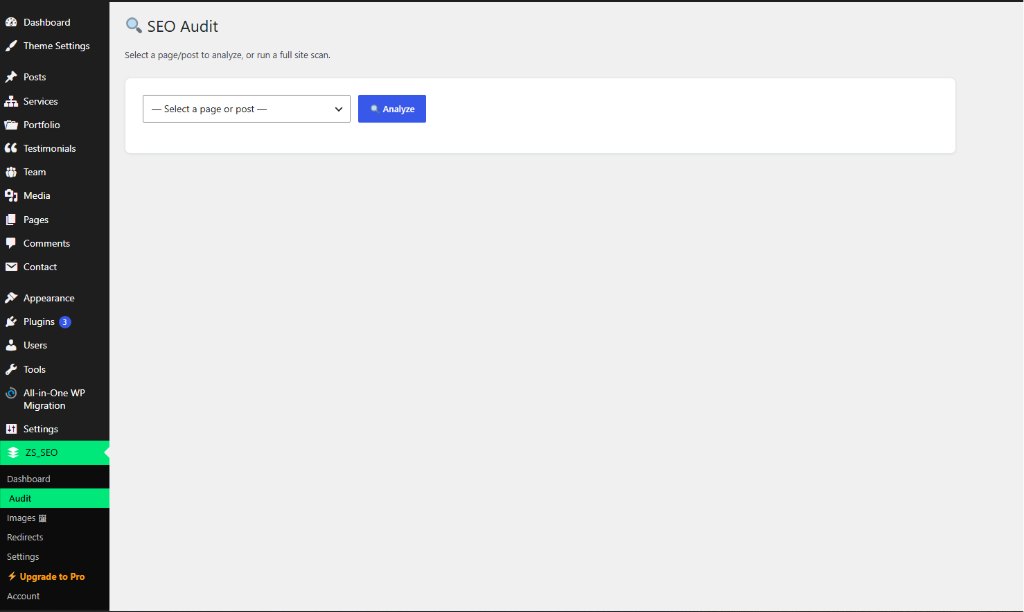
└── Open ZS SEO Dashboard, select any Post or Page, and click "Scan".

Step 3: Resolve & Optimize
└── Fix flagged heading hierarchy, missing alt tags, meta descriptions, or add FAQ schema to achieve a 100/100 score!
📊 Comparison: ZS SEO vs Traditional SEO Plugins
| Feature | Legacy SEO Plugins | ZS SEO Audit & Optimization |
|---|---|---|
| Speed & Performance | ❌ Heavy database bloat & slow admin | ✅ Ultralight & Lightning Fast |
| Invasive Upsell Ads | ❌ Full-screen banners on every screen | ✅ Clean UI with Zero Intrusive Ads |
| GEO / AI Search Schema | ❌ Paid Addon / Missing | ✅ Built-in & Free |
| Automatic Alt Sync | ❌ Requires manual post edits | ✅ Automatic Media Library Sync |
| 301/302 Redirect Manager | ❌ Premium only or separate plugin | ✅ Included Free |
| Developer Friendly | ❌ Spaghetti code & locked files | ✅ 100% Clean OOP with Extensible Hooks |
👨💻 Authors & Maintainers
- Satish Thakor — github.com/satish0125N • ZS Creations
- Hiren Gediya — https://profiles.wordpress.org/hirengediya/ • github.com/hiren-gediya