WooCommerce Discount Plugin for Flash Sales, BOGO & Promotions
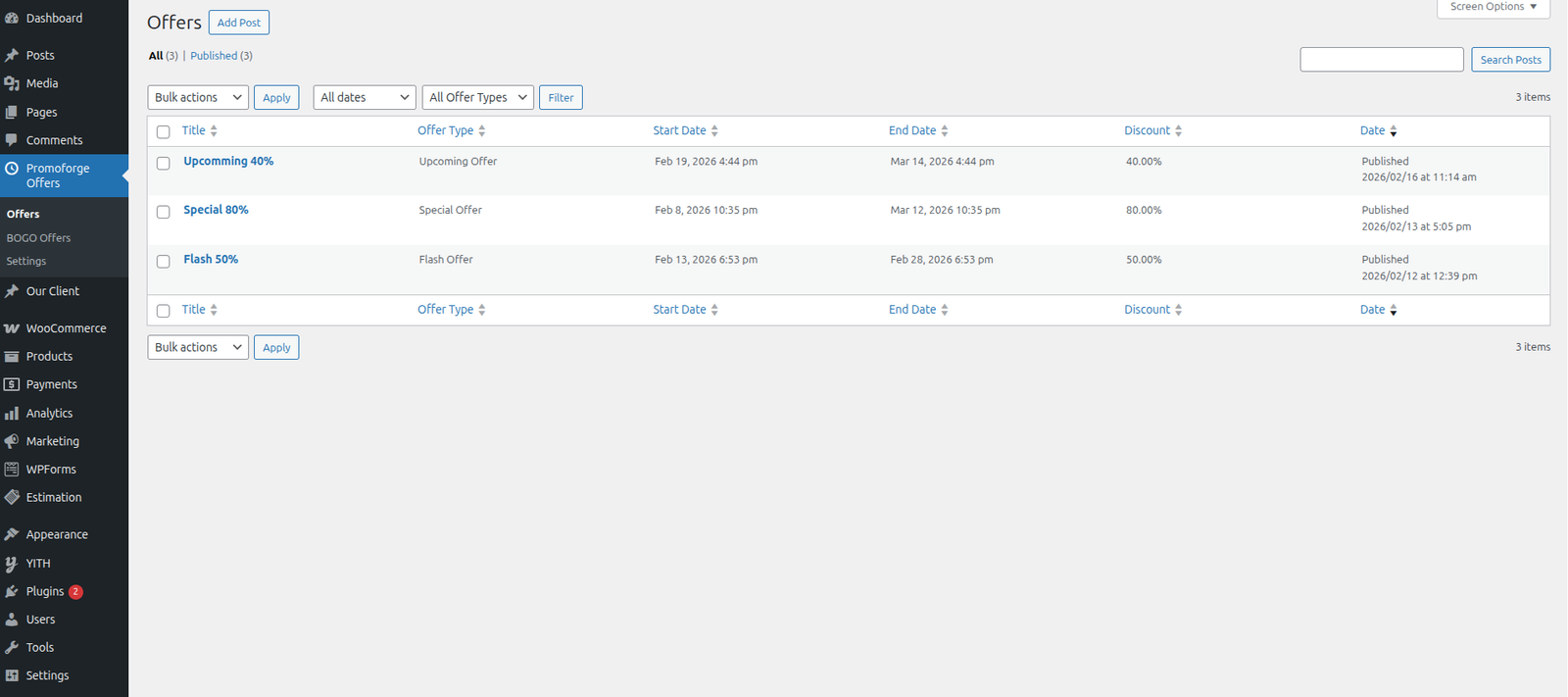
PromoForge Smart Campaigns for WooCommerce is a powerful WooCommerce discount plugin for creating and managing targeted promotional campaigns. Create Flash Sales, BOGO deals, Buy X Get Y offers, scheduled discounts, special URL-based offers, and campaign-specific pricing directly from your WooCommerce store.
Instead of relying only on basic global discounts, PromoForge lets you create structured campaigns for specific products or categories and control when and where each promotion applies.
Whether you want to run a limited-time Flash Sale, create a WooCommerce BOGO offer, schedule a seasonal promotion, or share an exclusive discount through a special URL, PromoForge gives you the tools to manage your offers from one centralized system.
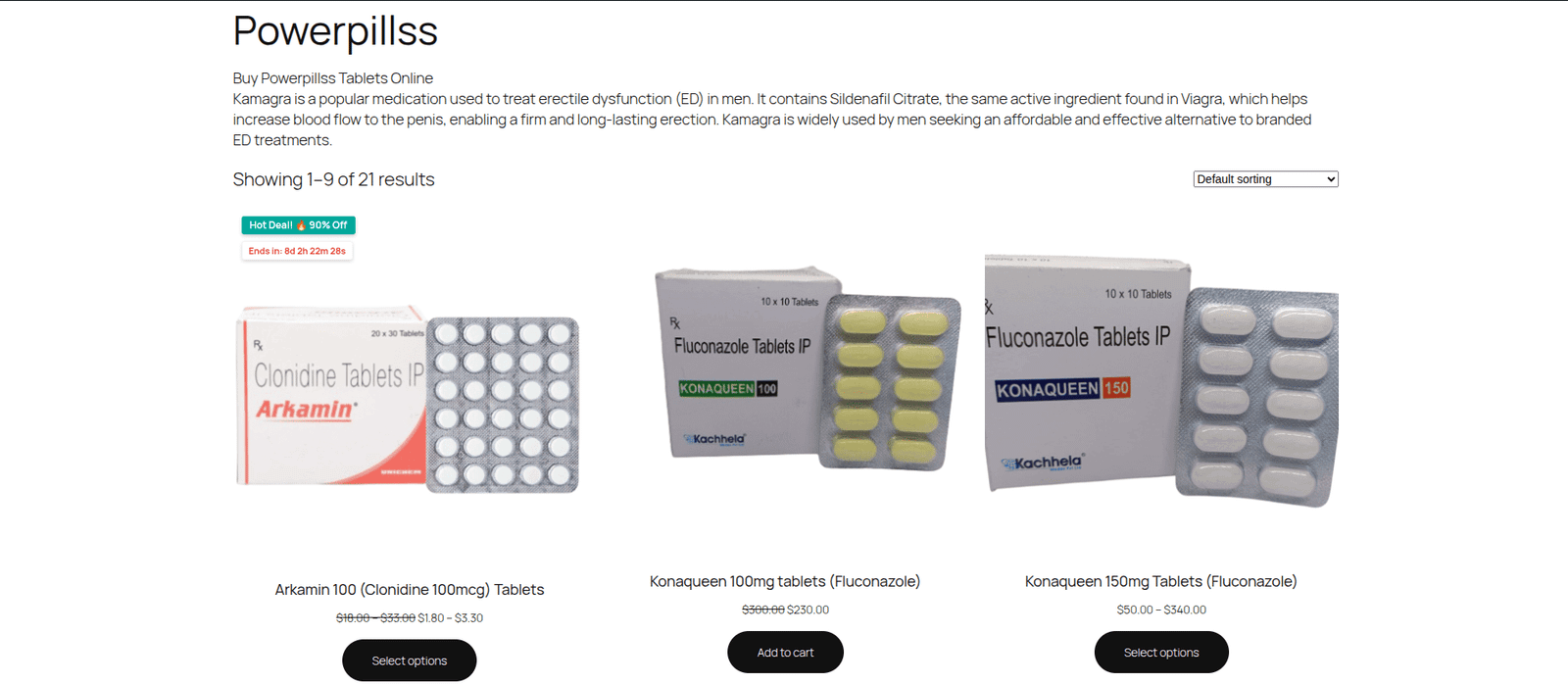
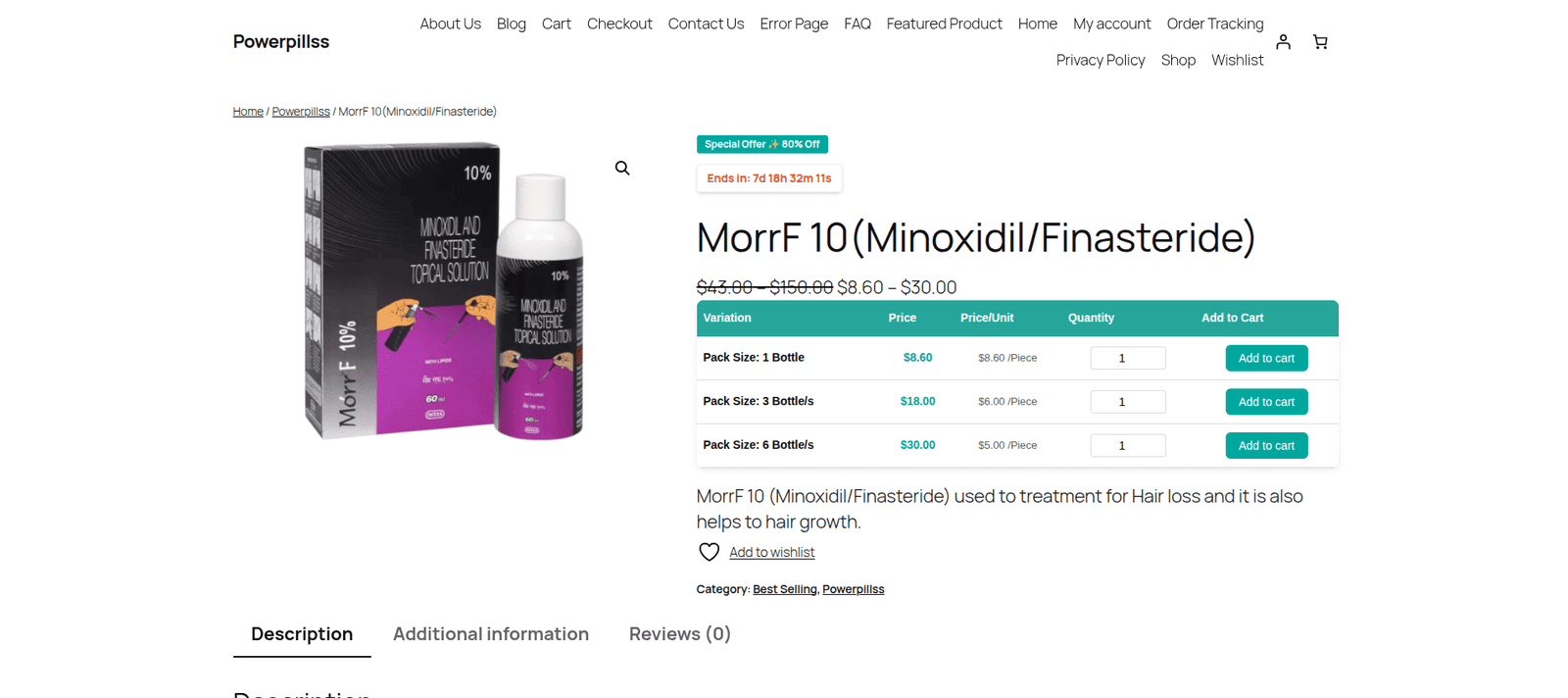
Discounts can be applied across the product page, cart, and checkout, helping customers clearly see promotional pricing while keeping your regular WooCommerce pricing rules intact.
PromoForge is designed for WooCommerce store owners who want more control over promotional campaigns without manually managing individual product prices.
The Free version supports up to 2 active Flash Offer campaigns. The Pro Add-on unlocks unlimited active campaigns, BOGO and Buy X Get Y offers, scheduled promotions, countdown timers, special URL offers, and advanced campaign reports.
Key Features
WooCommerce Flash Sales
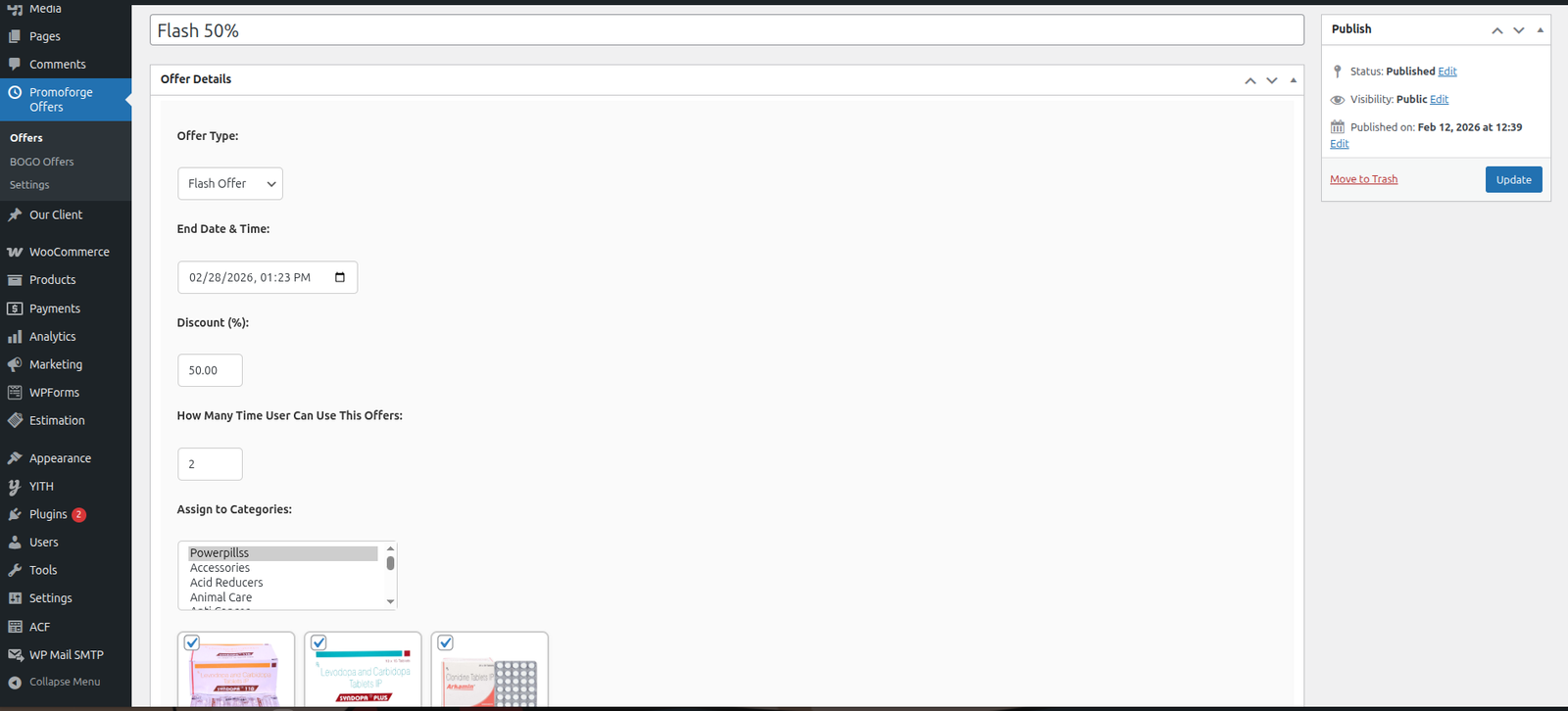
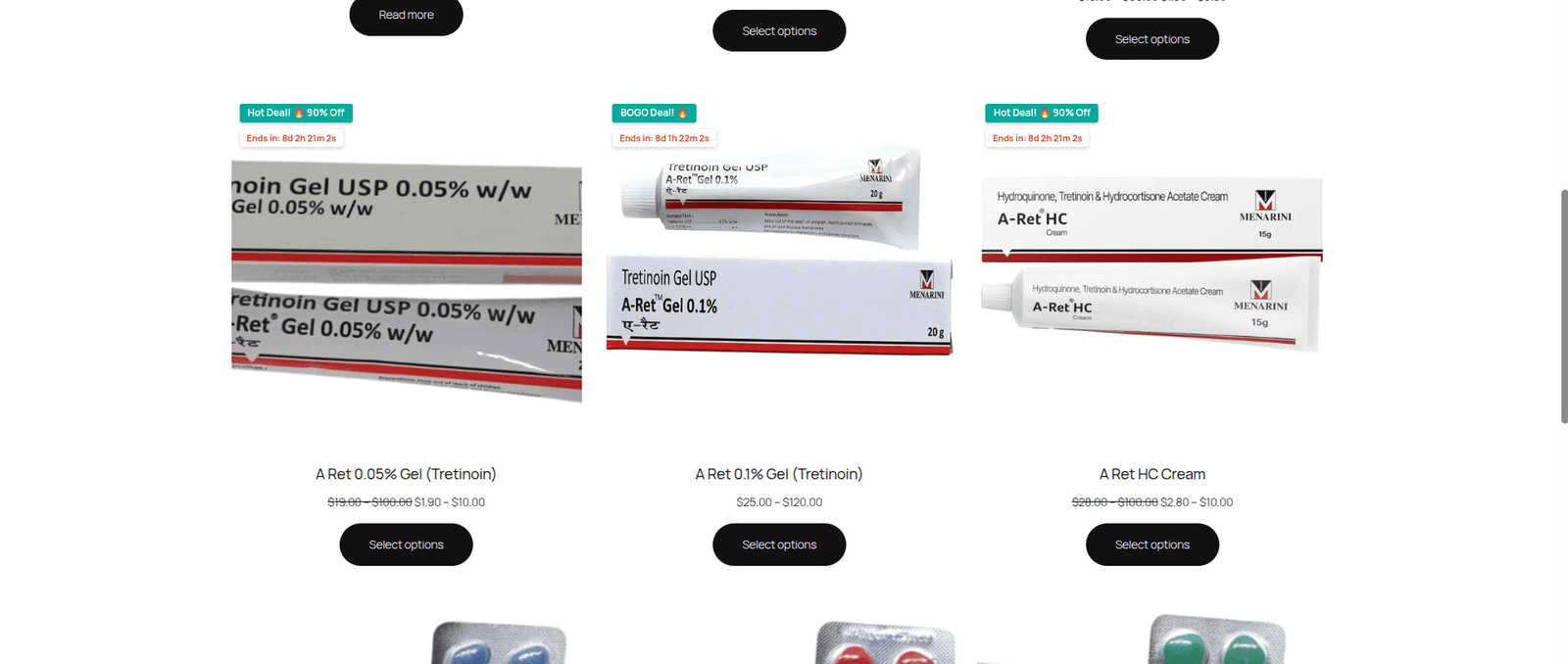
Create limited-time Flash Sales for selected products or categories. Define your campaign pricing and let PromoForge apply the offer according to your configured campaign rules.
The Free version supports up to 2 active Flash Offer campaigns.
WooCommerce BOGO & Buy X Get Y Offers
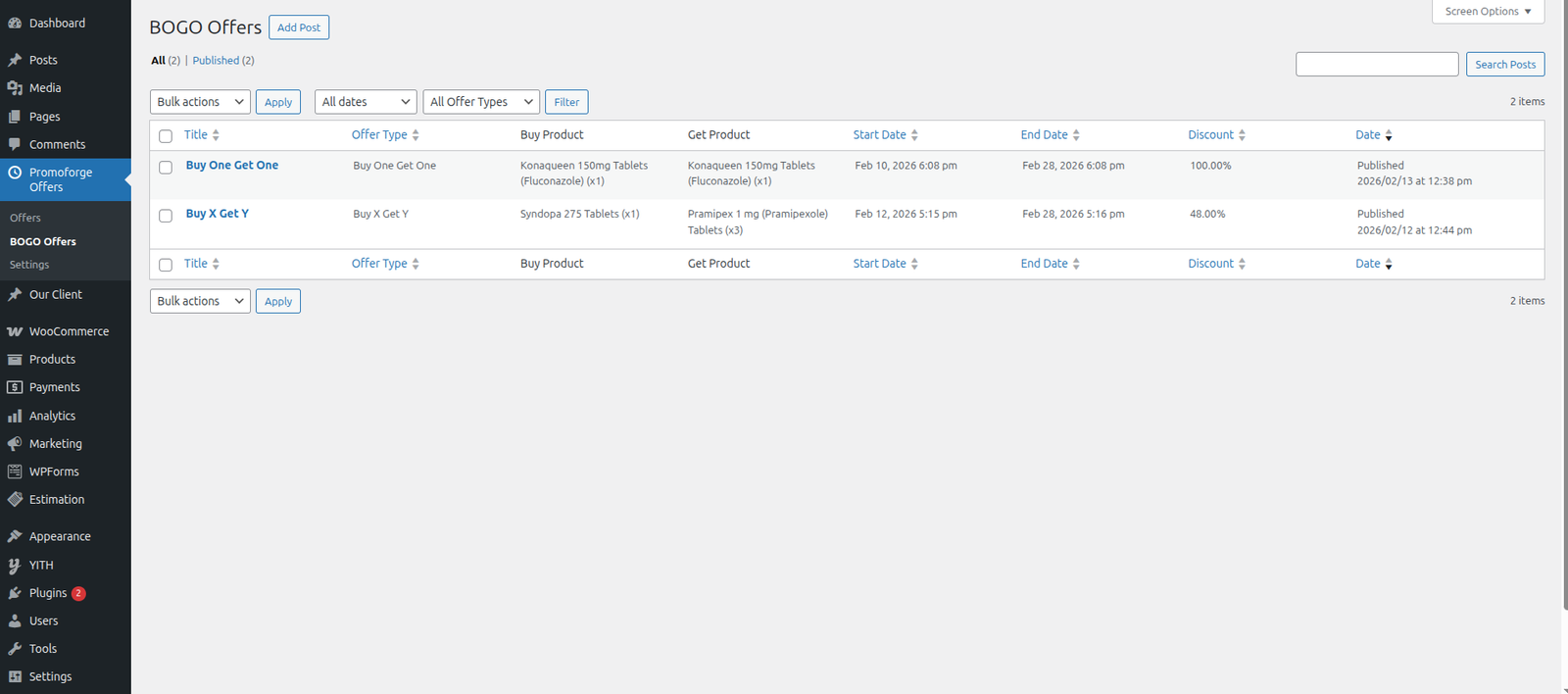
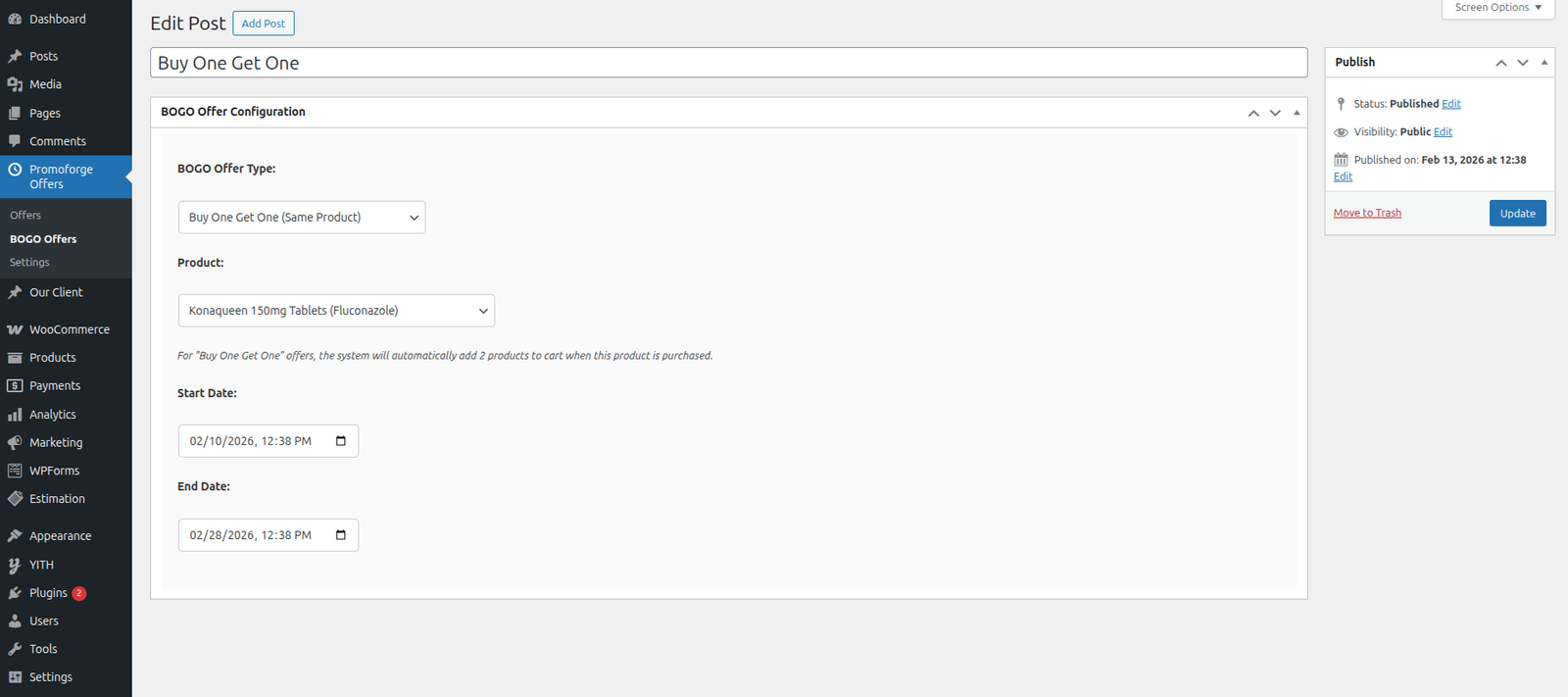
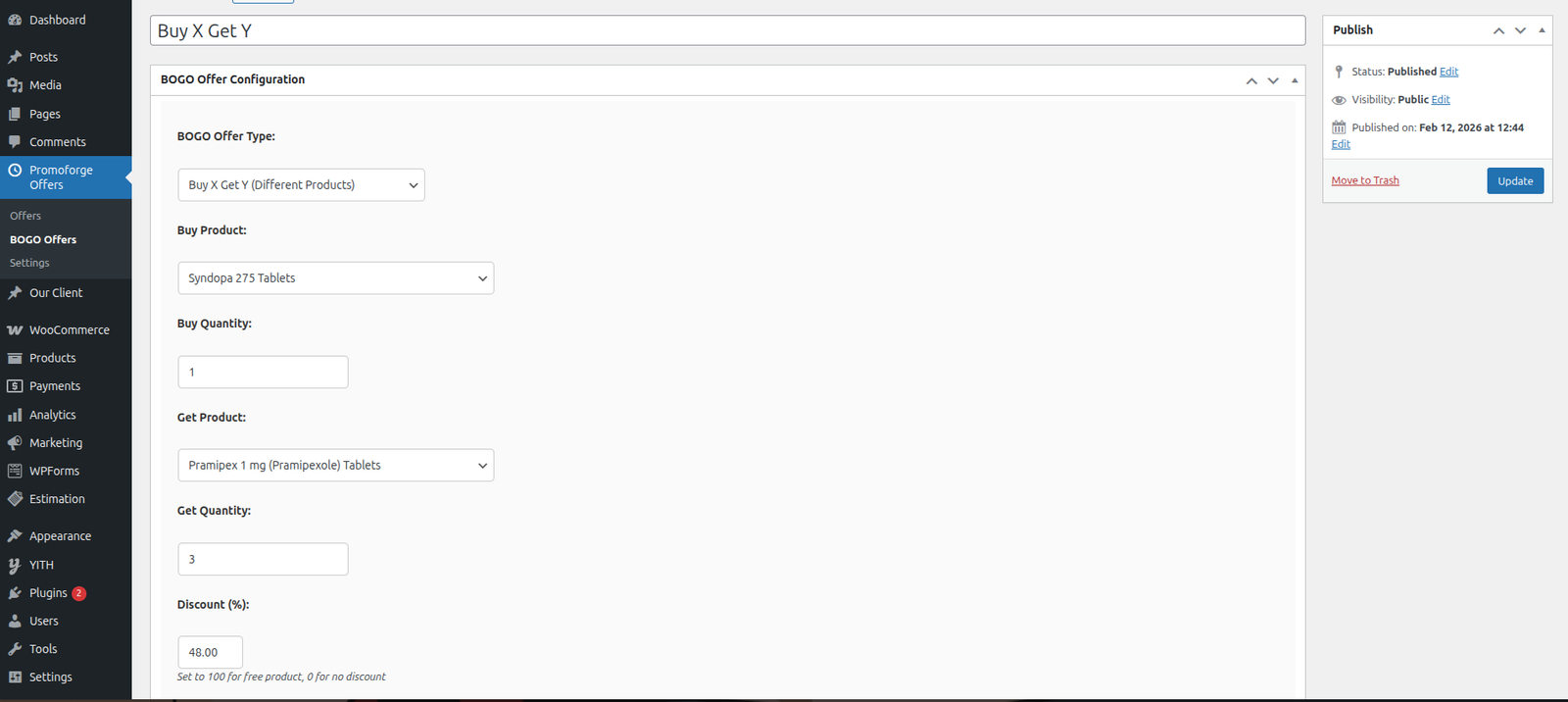
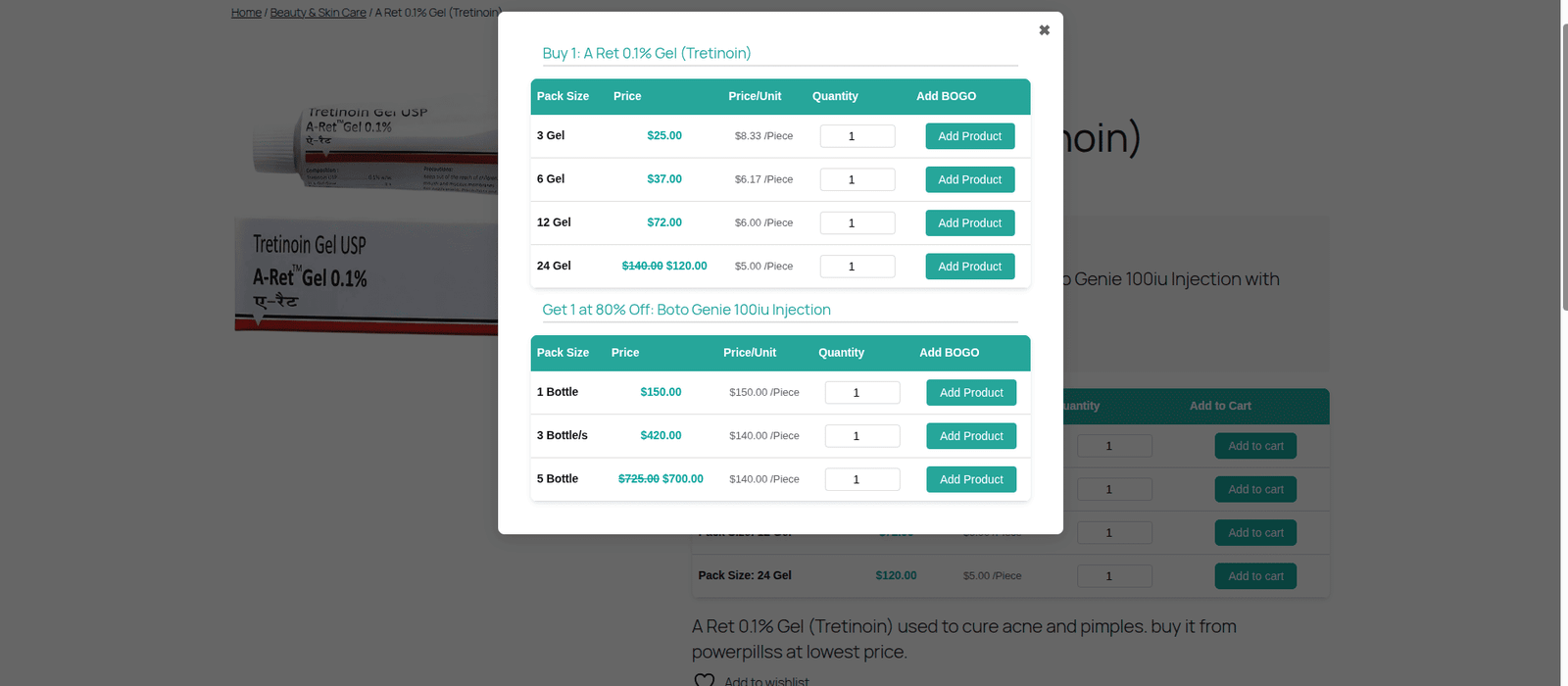
Create flexible Buy One Get One and Buy X Get Y promotions using quantity-based campaign rules.
Use BOGO promotions to encourage customers to purchase more while controlling which products or categories participate in the offer.
Scheduled WooCommerce Discounts
Plan promotions in advance by defining campaign start and end dates.
Scheduled campaigns are useful for:
- Seasonal sales
- Weekend promotions
- Holiday offers
- Product launches
- Limited-time campaigns
- Special events
With scheduled campaigns, your promotions can automatically become active and expire according to the configured campaign dates.
Special URL-Based Offers
Create exclusive promotional offers that customers can access through a specific URL.
This can be useful for:
- Email campaigns
- Social media promotions
- Influencer campaigns
- Customer-specific promotions
- Private promotional links
Special offers can be displayed using shortcodes and configured to apply only when customers access the designated offer URL.
Campaign-Based Pricing
PromoForge uses campaign-specific pricing logic rather than simply changing the global product price.
This allows promotional pricing to remain associated with the campaign while your regular WooCommerce pricing stays unchanged.
Product & Category Targeting
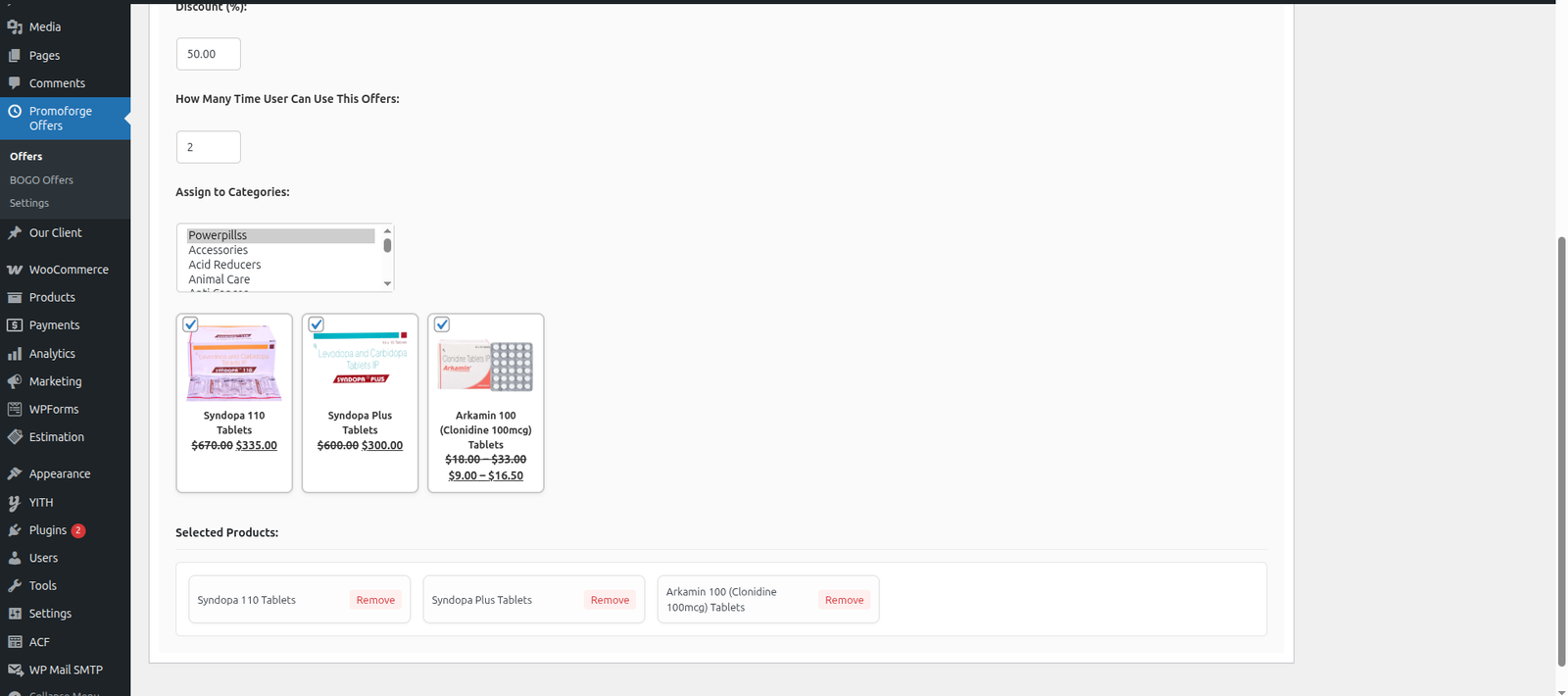
Target individual products or entire product categories when creating campaigns.
This gives you control over exactly which products participate in each promotion.
Product, Cart & Checkout Discounts
PromoForge applies configured campaign discounts across the WooCommerce shopping experience, including:
- Product pages
- Cart
- Checkout
Customers can see the applicable promotional pricing as they shop and complete their orders.
Countdown Timers
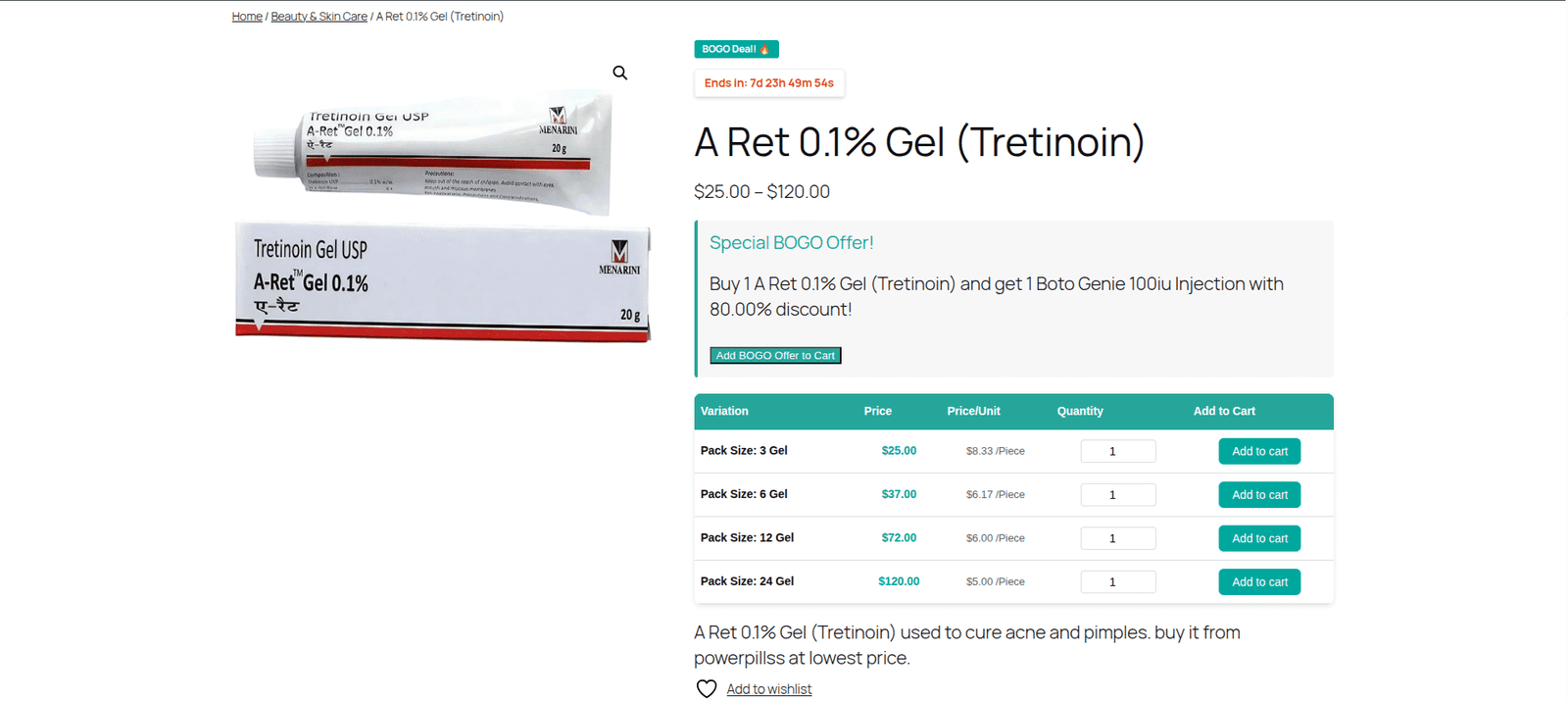
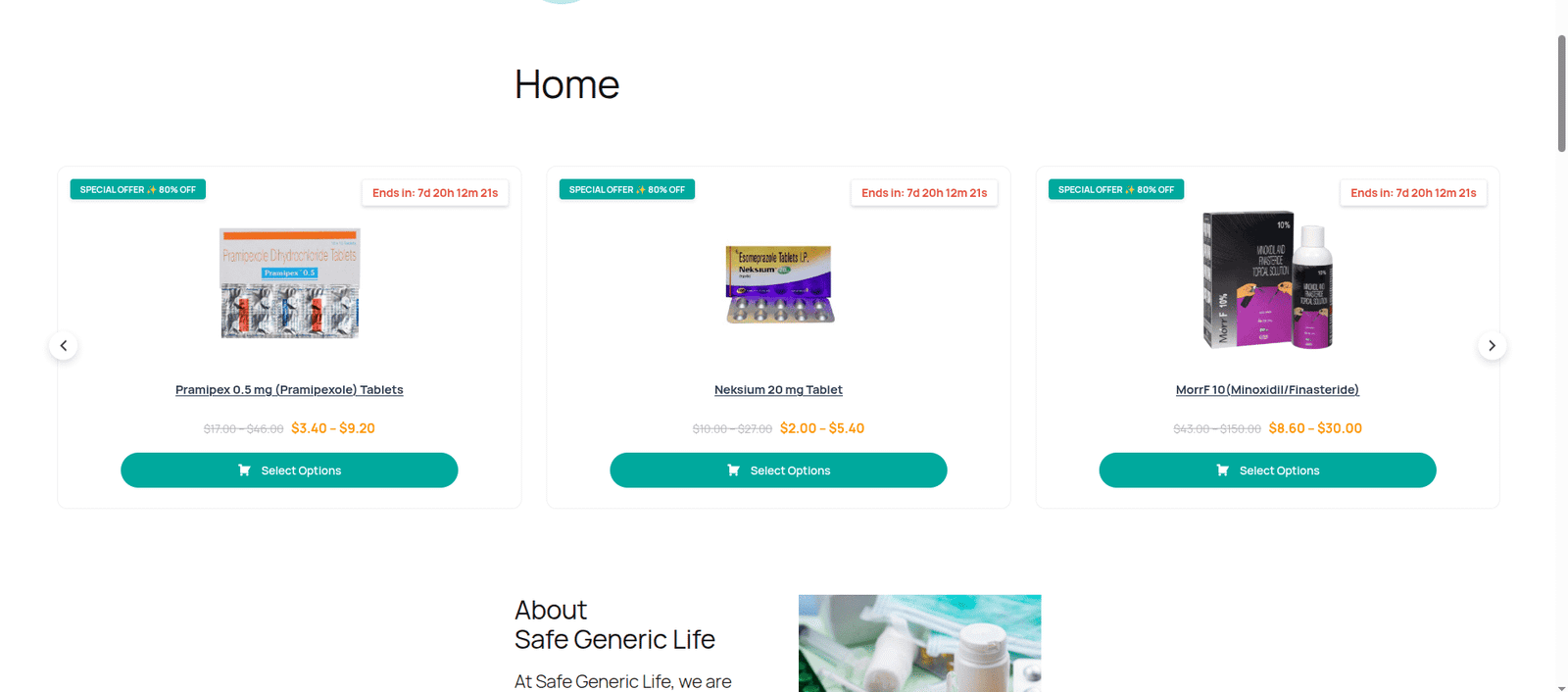
Add countdown timers to supported promotional campaigns to communicate when an offer is ending.
Countdowns can help create urgency around limited-time WooCommerce promotions.
Available with Pro.
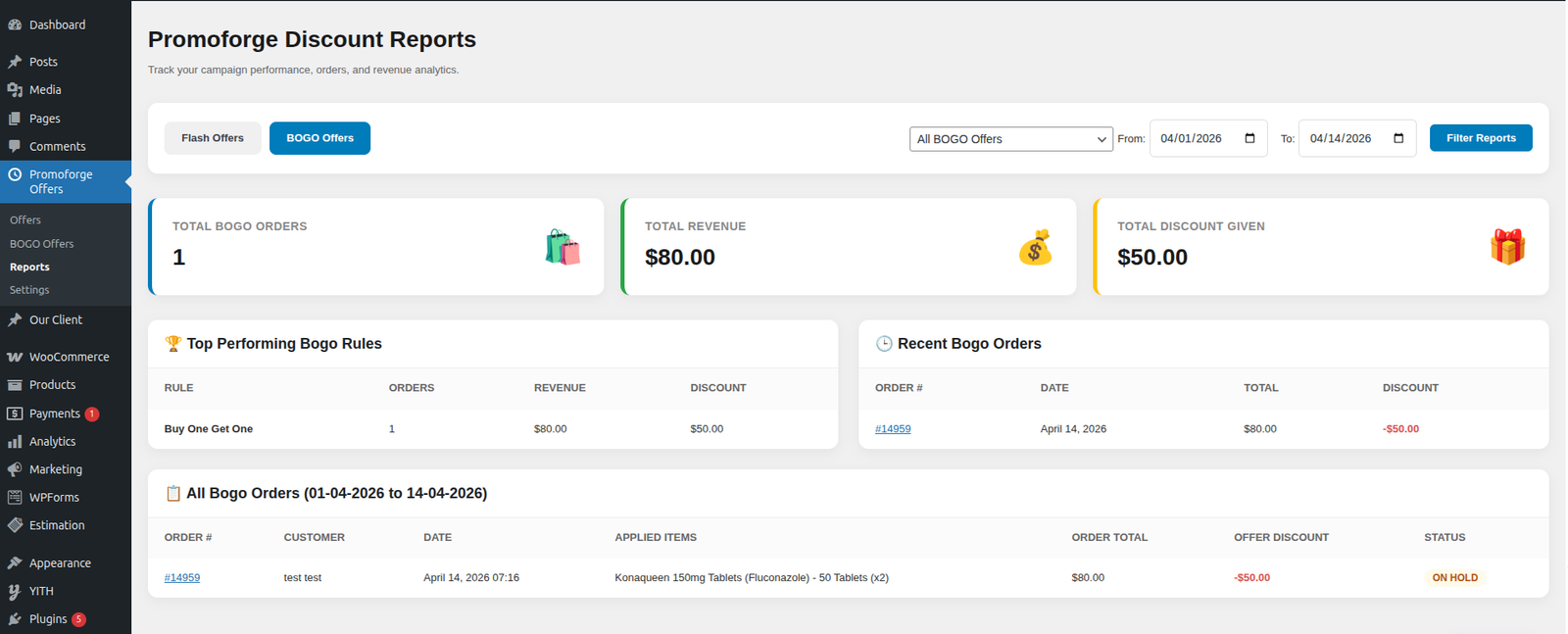
Promotion Reports & Analytics
Pro users can analyze Flash and BOGO campaign performance through the reporting dashboard.
Track information such as:
- Campaign revenue
- Order counts
- Discount statistics
- Campaign performance
- Date-range performance
Use campaign data to understand which promotions are generating results.
WooCommerce Promotion Types
PromoForge supports multiple campaign types so you can choose the promotion that fits your store and marketing goal.
Flash Sales
Create limited-time WooCommerce Flash Sales for selected products or categories.
Set the promotional pricing and campaign duration, then let PromoForge handle the configured offer conditions.
Flash Sales are useful when you want to create urgency around products for a limited period.
Free: Up to 2 active Flash Offer campaigns.
BOGO & Buy X Get Y Deals
Create flexible quantity-based promotions such as:
- Buy 1 Get 1
- Buy 2 Get 1
- Buy 3 Get 1
- Buy X Get Y
These promotions can encourage customers to increase their order quantity while giving you control over eligible products and campaign rules.
Available with Pro.
Scheduled Promotions
Prepare your WooCommerce promotions before they need to go live.
Set a start date and end date for your campaign and configure the products, categories, and discount rules in advance.
Scheduled promotions are ideal for seasonal campaigns, holiday sales, weekend offers, and planned marketing events.
Available with Pro.
Special URL Offers
Create promotional offers that generate shortcodes that render anywhere customers can access through a dedicated URL.
You can use special offer links in email marketing, social media posts, advertisements, affiliate campaigns, or direct customer communication.
Available with Pro.
Promotion Reports & Analytics
Understand how your promotional campaigns perform with detailed reports.
Analyze Flash and BOGO campaign activity using revenue, orders, discount statistics, and date-range filtering.
Available with Pro.
How PromoForge Works
Creating a WooCommerce promotional campaign takes just a few steps:
- Create a campaign from the WordPress admin dashboard.
- Choose the promotion type, such as Flash Sale, Scheduled Offer, Special Offer, or BOGO.
- Select products or categories that should participate.
- Configure your discount rules and campaign conditions.
- Set campaign dates when using scheduled promotions.
- Configure campaign display options such as badges or countdowns where supported.
- Publish the campaign and let PromoForge apply the configured offer.
- Review campaign performance using reports available in Pro.
This gives WooCommerce store owners a structured workflow for creating, managing, and measuring promotional campaigns.
WooCommerce Discount Management Without Global Price Changes
One of the main advantages of PromoForge is its campaign-based pricing approach.
Traditional discount management can become difficult when multiple promotions overlap with regular product pricing.
PromoForge keeps promotional pricing associated with the configured campaign rather than simply replacing the store’s global product prices.
This makes it easier to run promotional campaigns while maintaining your regular WooCommerce pricing structure.
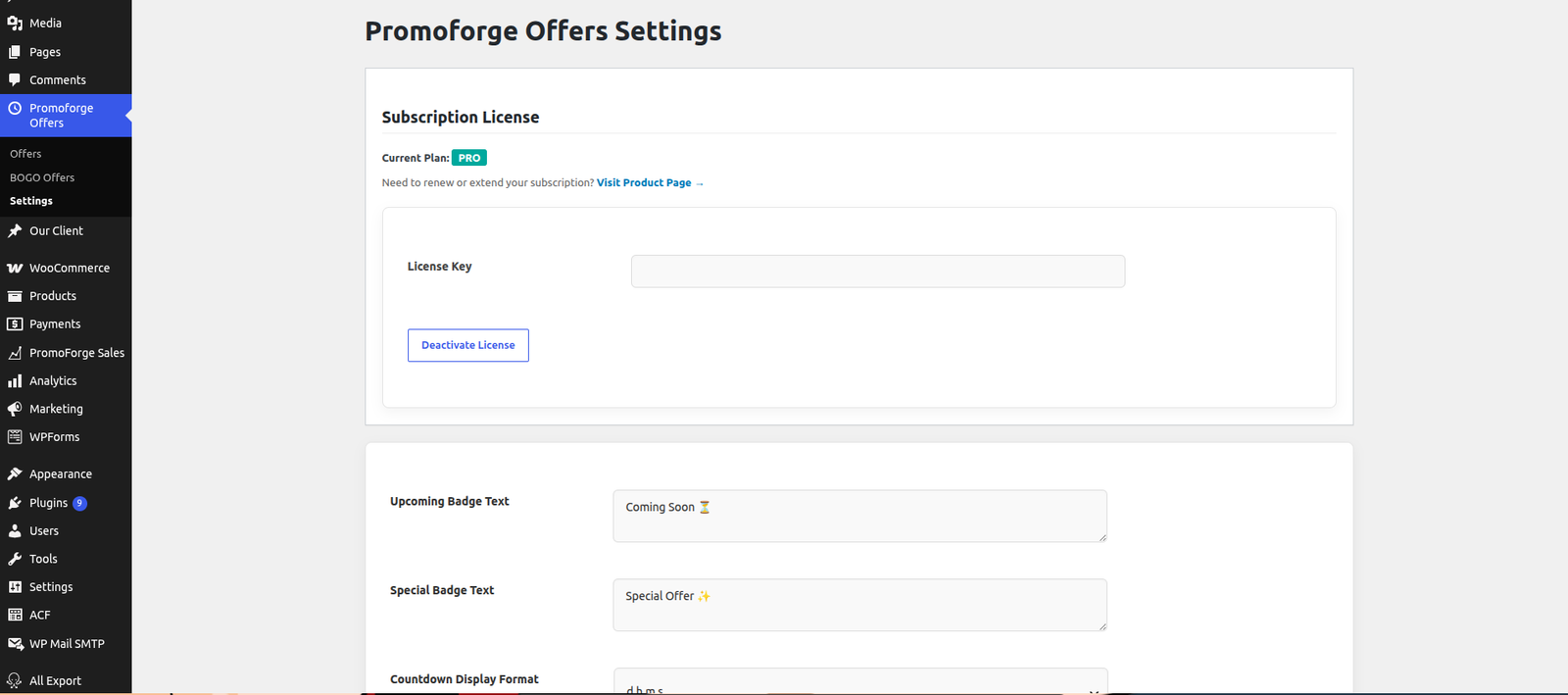
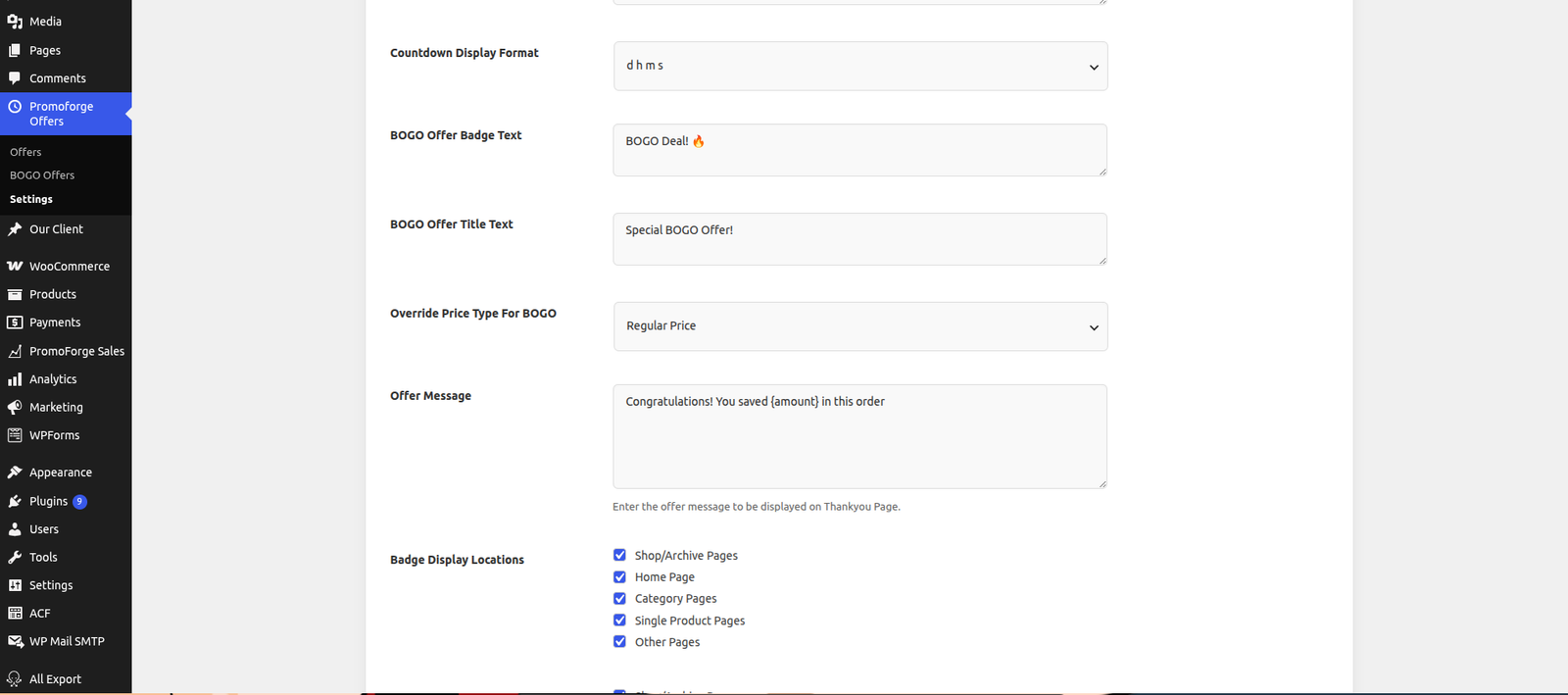
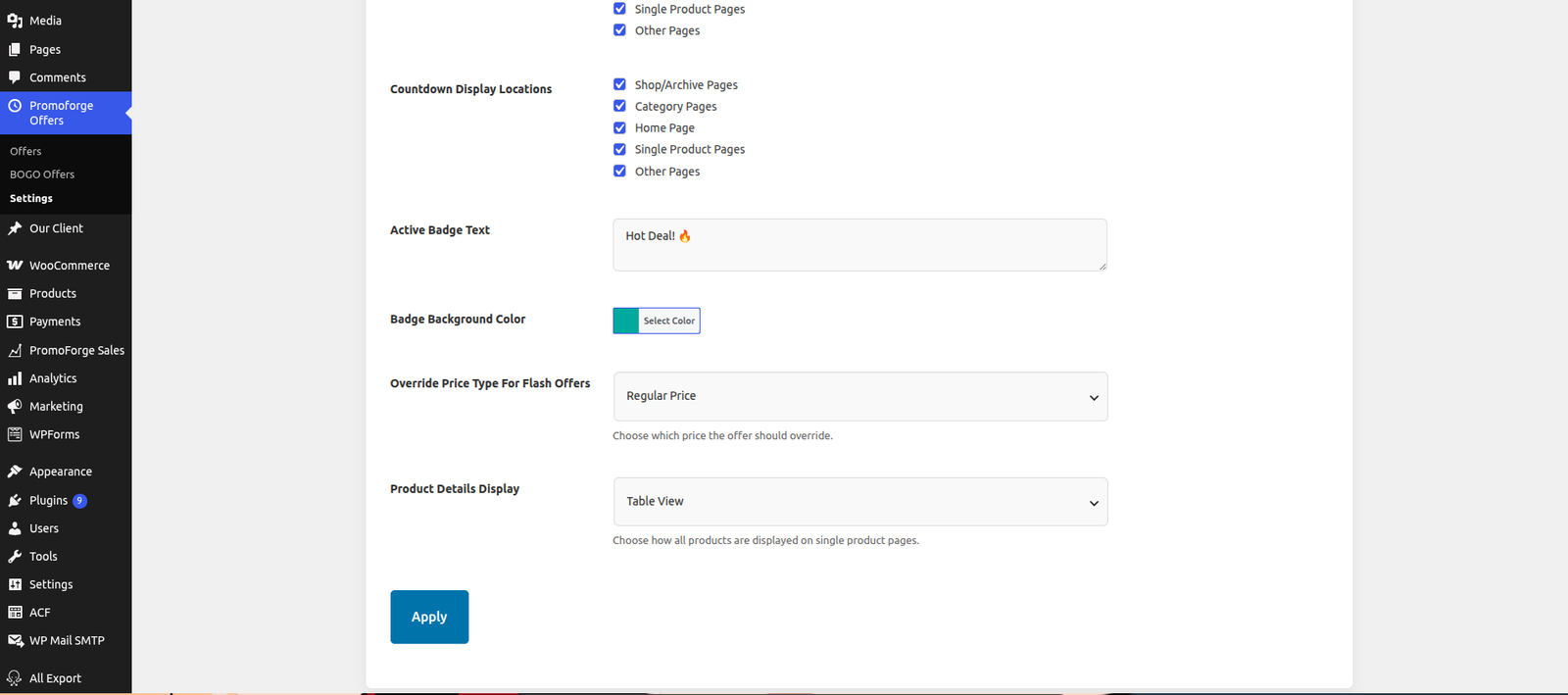
Global Campaign Settings
PromoForge includes a centralized settings panel for managing common campaign behavior.
Store owners can configure options such as:
- Offer badge text
- Badge display locations
- Countdown display format
- BOGO badge labels
- Product pricing behavior
- Thank You page savings messages
- Single product display behavior
- Other campaign display settings
Pro users can also manage their premium license and domain allocations through the licensing system.
Real-Time License Synchronization
PromoForge Pro includes real-time license synchronization for premium features.
After purchasing a Pro subscription, customers can manage their license through their account on the our website account.
The account dashboard allows users to:
- View active license details
- View subscription information
- Manage domain allocations
- Activate licensed domains
- Deactivate unused domains
- Synchronize license information
- Manage licenses across development, staging, and production sites
The PromoForge plugin synchronizes the license information with the licensing system to help keep premium features connected while the subscription is active.
Who Is PromoForge Smart Campaigns For?
PromoForge is designed for WooCommerce stores that need more than basic discounts.
It can be useful for:
- Online stores running Flash Sales
- Stores creating BOGO promotions
- Businesses running Buy X Get Y campaigns
- Stores planning seasonal promotions
- WooCommerce businesses running scheduled discounts
- Marketing teams managing promotional campaigns
- Stores offering exclusive URL-based discounts
- Businesses that want campaign performance reports
WooCommerce Promotional Campaign Examples
Here are some examples of campaigns you can create with PromoForge.
Example 1: Flash Sale
20% off selected products for 48 hours
Select the products, configure the discount and define the campaign duration.
Example 2: Buy One Get One
Buy one product and get another promotional item
Configure the BOGO campaign and define the applicable products and quantity rules.
Example 3: Weekend Promotion
Weekend Sale — Saturday to Sunday
Create a scheduled campaign with a defined start and end date.
Example 4: Exclusive Customer Offer
Special 15% discount available through a promotional URL
Create a special URL-based offer and share the link through your preferred marketing channel.
Example 5: Buy X Get Y
Buy 2 products and receive 1 promotional item
Configure quantity-based rules using the BOGO / Buy X Get Y campaign system.
Why Choose PromoForge?
WooCommerce stores often need promotional campaigns that are more flexible than a simple product discount.
PromoForge brings multiple promotional tools into one campaign-based system:
- Flash Sales
- BOGO offers
- Buy X Get Y
- Scheduled promotions
- Special URL offers
- Product targeting
- Countdown timers
- Campaign reporting
Instead of managing each promotion separately, store owners can create and manage their WooCommerce campaigns from a centralized interface.
PromoForge is built for businesses that want structured WooCommerce promotions rather than basic one-time discounts.
Free vs Pro
| Feature | Free | Pro |
|---|---|---|
| Flash Offers | ✓ | ✓ |
| Up to 2 active Flash campaigns | ✓ | ✓ |
| Product targeting | ✓ | ✓ |
| Campaign-based pricing | ✓ | ✓ |
| BOGO / Buy X Get Y | — | ✓ |
| Scheduled promotions | — | ✓ |
| Special URL offers | — | ✓ |
| Countdown timers | — | ✓ |
| Advanced reports | — | ✓ |
| Unlimited active campaigns | — | ✓ |
| Premium license management | — | ✓ |
Compatibility
PromoForge Smart Campaigns for WooCommerce supports:
- WordPress 5.8+
- WooCommerce 7.0+
- PHP 7.4+
The plugin is designed to integrate directly with WooCommerce’s existing product, cart, and checkout workflows.