Turn WooCommerce Sales Data Into Actionable Growth Opportunities
PromoForge Sales Intelligence for WooCommerce is an advanced sales analytics and recommendation platform designed to help WooCommerce store owners understand what is happening in their store — and, more importantly, what they should do next.
Instead of presenting store owners with complicated charts and raw sales numbers, PromoForge analyzes real WooCommerce sales data and turns it into practical, data-driven recommendations.
Identify your best-selling products, discover slow-moving inventory, detect products with poor conversion performance, understand customer behavior, create promotional opportunities, and track the results of your campaigns — all from a centralized WooCommerce dashboard.
The Pro version adds advanced sales intelligence capabilities for businesses that want to go beyond basic WooCommerce reporting and make smarter decisions based on their actual store performance.
🚀 What Is PromoForge Sales Intelligence?
PromoForge Sales Intelligence for WooCommerce is built around a simple idea:
Don’t just look at your sales data. Use it to decide what to do next.
Traditional WooCommerce analytics often require store owners to manually interpret charts, sales reports, product performance, inventory levels, and customer data.
PromoForge simplifies this process by analyzing your store data and presenting actionable recommendations such as:
- Identify your best-selling products and opportunities to optimize pricing.
- Find products that haven’t sold recently and consider targeted discounts.
- Detect products receiving attention but generating low conversions.
- Identify products with excess inventory and create bundle opportunities.
- Discover products frequently purchased together.
- Segment customers according to purchasing behavior.
- Track the revenue impact of promotional campaigns.
This allows store owners to move from data → insight → action without manually analyzing multiple reports.
⭐ Key Features
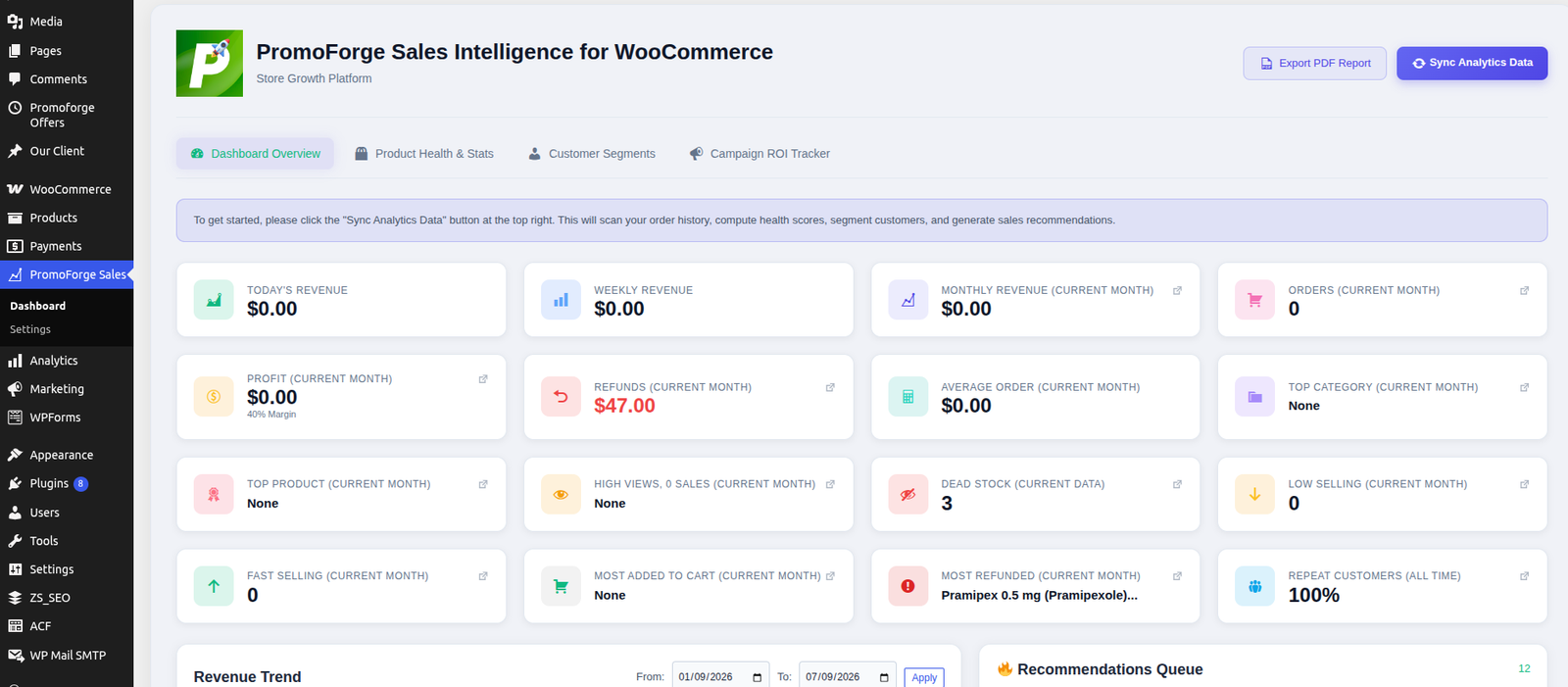
📊 Actionable Sales Intelligence Dashboard
Get a centralized view of your WooCommerce store performance.
The dashboard provides important sales KPIs, revenue trends, product insights, and recommended actions so you can quickly understand how your store is performing.
Instead of overwhelming you with raw data, PromoForge highlights the information that can lead to meaningful business decisions.
Dashboard insights include:
- Revenue trends
- Sales performance
- Key performance indicators
- Product opportunities
- Recommendation queue
- Campaign performance
- Customer insights
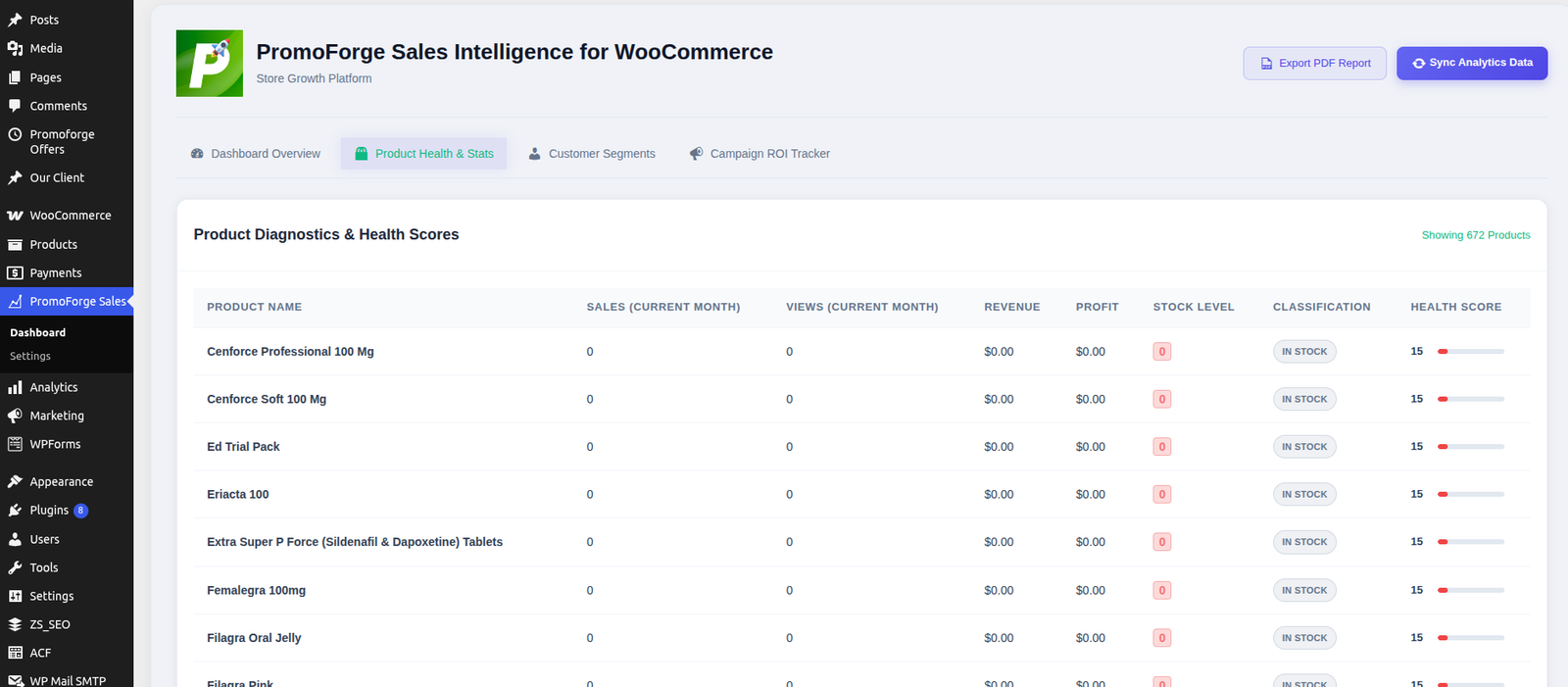
🏆 Product Diagnostics & Health Scores
Understand which products are helping your store grow and which products need attention.
PromoForge evaluates individual products using sales and store-performance data and generates product health insights.
Identify:
- Best-selling products
- Slow-moving products
- Dead stock
- Overstocked products
- Low-demand products
- Products with strong demand
- Products requiring promotional attention
Product health scoring makes it easier to prioritize the products that require action instead of manually reviewing every SKU.
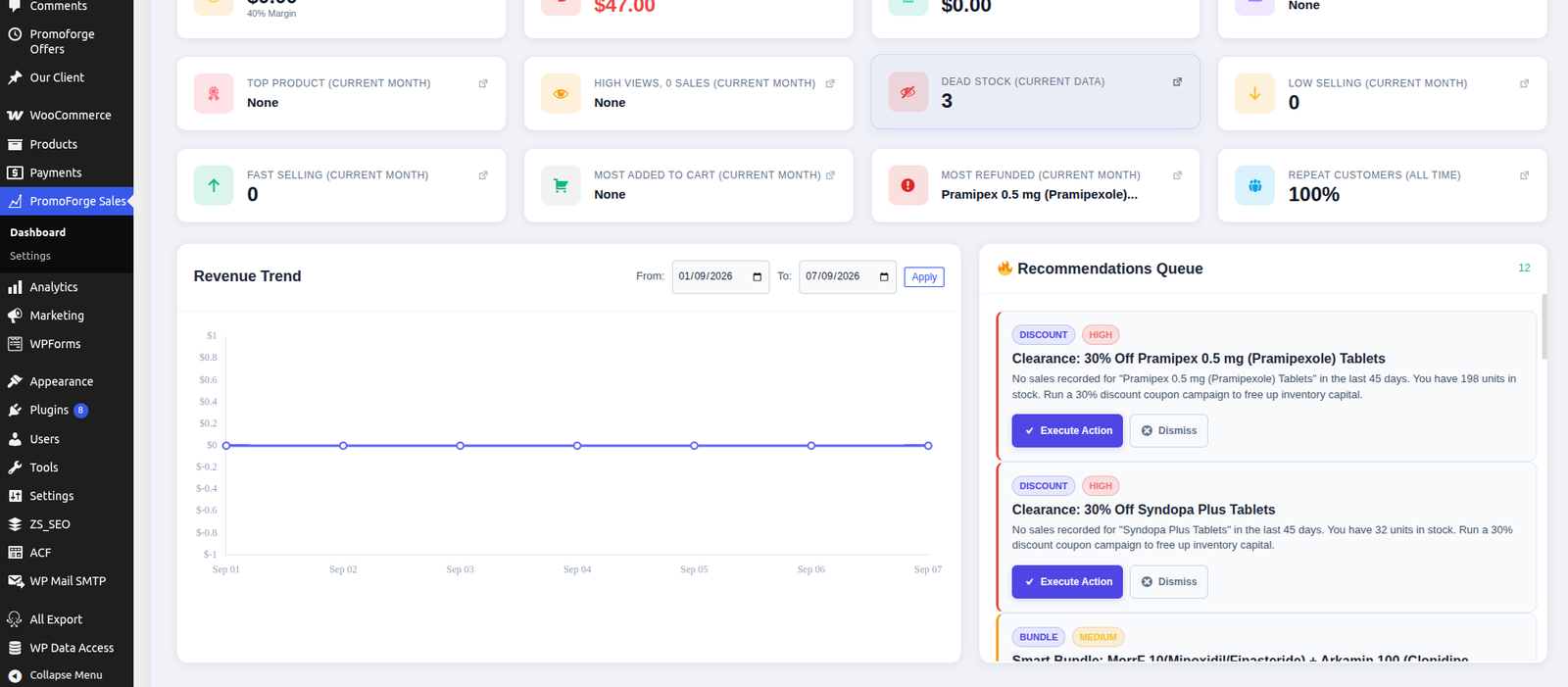
💡 Smart Recommendations Queue
PromoForge automatically generates prioritized recommendations based on your WooCommerce store data.
The recommendation engine can highlight opportunities such as:
Best-Seller Opportunities
Identify products with strong sales performance and potential pricing or promotional opportunities.
Slow-Moving Products
Find products that have not generated sales recently and consider targeted promotional campaigns.
Low-Conversion Products
Identify products that receive attention but do not convert effectively, allowing you to investigate pricing, product presentation, images, or other factors.
Overstock Opportunities
Detect products with high inventory and low demand and consider bundling or promotional strategies.
The recommendations queue helps turn analytics into practical next steps.
⚡ One-Click Campaign Execution
Turn recommendations into promotional campaigns faster.
PromoForge can work with the PromoForge Smart Campaigns for WooCommerce plugin to create promotional campaigns directly from recommended actions.
Depending on the campaign opportunity, store owners can create campaigns such as:
- Flash sales
- BOGO promotions
- Product discounts
- Bundle promotions
- Targeted promotional campaigns
This reduces the number of manual steps required to move from identifying an opportunity to launching a promotion.
🛍️ Association Bundle Advisor
Discover products that customers frequently purchase together.
PromoForge analyzes order relationships to identify product associations and potential bundle opportunities.
For example:
Product A + Product B
If these products frequently appear in the same orders, PromoForge can identify the relationship as a potential bundling opportunity.
This can help store owners:
- Create product bundles
- Increase average order value
- Cross-sell related products
- Promote frequently purchased combinations
- Move complementary inventory
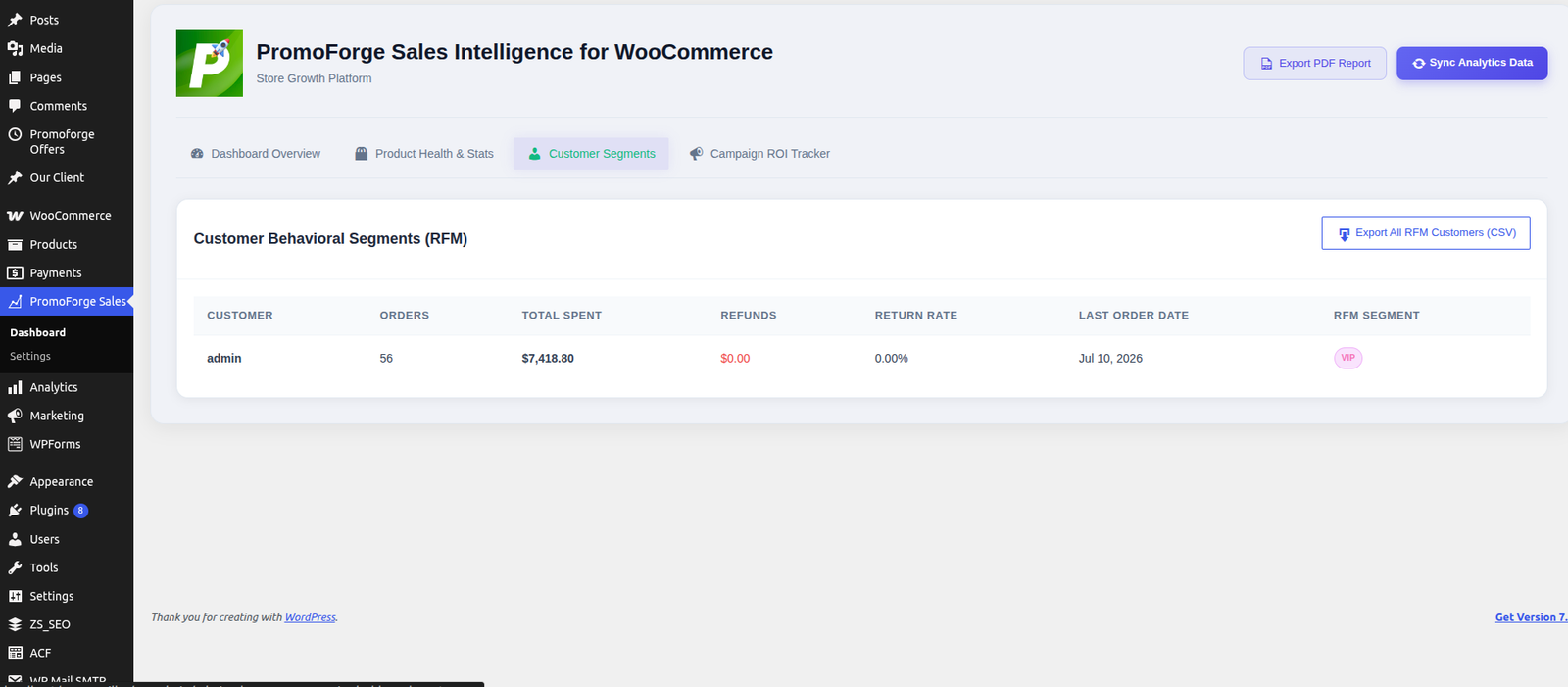
👥 RFM Customer Segmentation
Understand your customers based on their purchasing behavior.
PromoForge uses RFM analysis — Recency, Frequency, and Monetary value — to categorize customers according to their relationship with your store.
Customer segments can include:
VIP Customers
Customers with strong purchasing activity and high spending.
Loyal Customers
Customers who purchase regularly and demonstrate continued engagement.
Slipping Customers
Customers whose purchasing activity has decreased and may require re-engagement.
Lost Customers
Customers who have not purchased for an extended period.
These segments help store owners understand customer behavior and identify opportunities for retention and re-engagement campaigns.
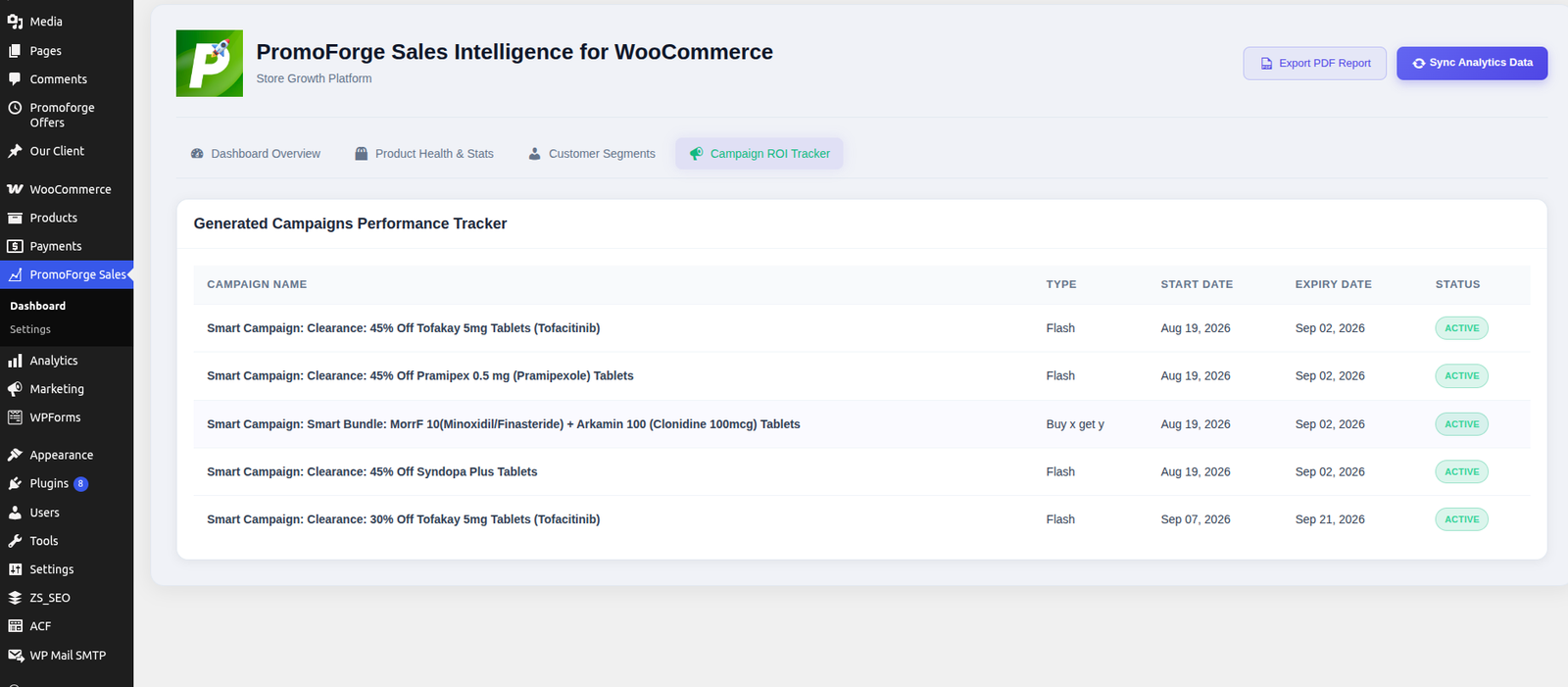
📈 Campaign ROI Tracking
Launching a campaign is only half the job.
PromoForge helps you understand what happened after a recommendation was executed.
Campaign performance tracking can help you evaluate:
- Coupon usage
- Orders generated
- Revenue generated
- Discount performance
- Campaign effectiveness
- Incremental revenue opportunities
This allows store owners to identify which promotional strategies are producing meaningful results.
📦 Inventory Intelligence
PromoForge helps identify inventory situations that deserve attention.
Instead of simply displaying stock quantities, the system connects inventory information with sales performance to identify potential problems such as:
- Dead stock
- Slow-moving inventory
- Overstocked products
- Low-demand products
- Products suitable for bundling
- Products suitable for promotional campaigns
This can help WooCommerce store owners make better inventory and promotional decisions.
🎯 Data-Driven Promotional Opportunities
PromoForge is designed to connect sales intelligence with promotional action.
For example:
High-performing product
→ Identify opportunity
→ Review pricing
→ Create promotional strategy
Product hasn’t sold recently
→ Identify slow-moving product
→ Recommend discount
→ Launch targeted campaign
High inventory + low demand
→ Detect inventory problem
→ Identify complementary product
→ Create bundle campaign
Frequently purchased products
→ Analyze purchase association
→ Recommend bundle
→ Launch cross-sell campaign
This creates a complete workflow from store data to actionable marketing activity.
🔄 How PromoForge Sales Intelligence Works
Step 1 — Connect With WooCommerce
Install and activate PromoForge Sales Intelligence for WooCommerce on your store.
WooCommerce must be installed and active.
Step 2 — Sync Your Store Analytics
Run the initial analytics synchronization to aggregate your WooCommerce sales information.
Step 3 — Analyze Store Performance
PromoForge analyzes your store’s sales and product data to identify important trends and opportunities.
Step 4 — Review Recommendations
Review the prioritized recommendation queue and identify actions that make sense for your store.
Step 5 — Execute Campaigns
Use the available campaign functionality to turn recommendations into promotional campaigns.
Step 6 — Measure Results
Track campaign performance and evaluate the revenue impact of your promotional actions.
📊 From Raw Data to Business Decisions
Traditional analytics often answer:
“What happened?”
PromoForge Sales Intelligence is designed to help answer:
“What should I do next?”
| Traditional Reporting | PromoForge Sales Intelligence |
|---|---|
| Revenue charts | Revenue + actionable insights |
| Product sales data | Product health analysis |
| Inventory quantities | Inventory opportunities |
| Customer lists | RFM customer segments |
| Sales reports | Prioritized recommendations |
| Manual campaign creation | One-click campaign execution |
| Basic coupon tracking | Campaign ROI analysis |
| Raw purchase data | Product association insights |
🔥 Perfect For
PromoForge Sales Intelligence is designed for:
- WooCommerce store owners
- E-commerce businesses
- Online retailers
- Marketing teams
- Store managers
- Growth-focused e-commerce businesses
- Businesses managing large product catalogs
- Stores running frequent promotional campaigns
- Businesses looking to improve customer retention
- Stores that want data-driven promotional decisions
💼 Why Use PromoForge Sales Intelligence?
Running a WooCommerce store generates a large amount of valuable data.
Orders, products, customers, inventory, discounts, and purchasing patterns can reveal important opportunities — but manually finding those opportunities can take significant time.
PromoForge Sales Intelligence brings this information together and turns it into actionable intelligence.
Instead of asking:
“What are my sales numbers?”
You can ask:
“Which products should I promote?”
“Which products are not performing?”
“Which customers should I re-engage?”
“Which products should I bundle?”
“Which campaigns are generating results?”
That is the difference between basic reporting and sales intelligence.
🔐 Privacy-Focused Architecture
PromoForge Sales Intelligence processes your WooCommerce analytics using your own store data.
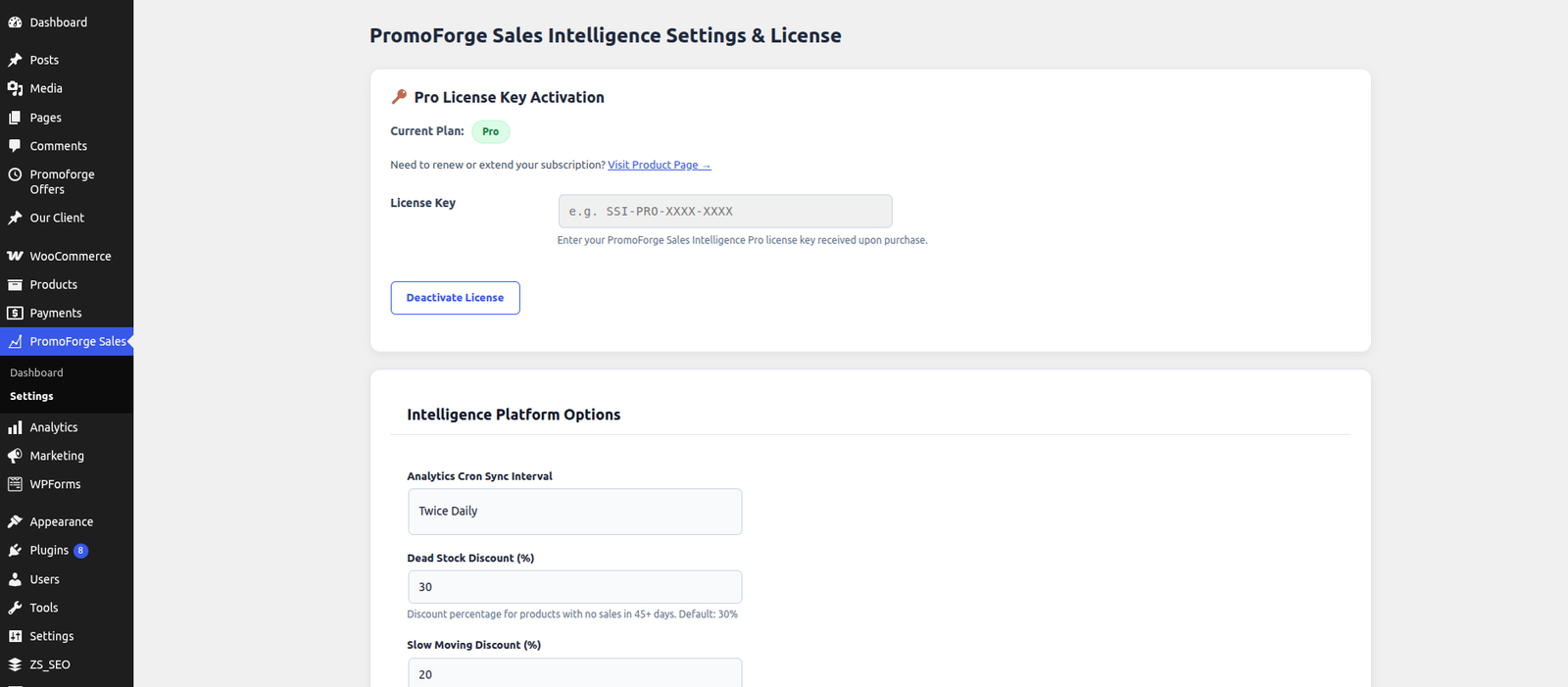
The WordPress.org version states that the plugin does not connect to external services for store-data processing. Analytics are calculated locally using WooCommerce store data. The optional Pro add-on uses a license validation server only for license verification; store data is not transmitted for that purpose.
⚙️ Compatibility
PromoForge Sales Intelligence for WooCommerce supports:
- WordPress 5.8+
- WooCommerce 7.0+
- PHP 8.1+
- Simple products
- Variable products
- WooCommerce High-Performance Order Storage (HPOS)
The official WordPress.org listing currently identifies HPOS compatibility and these platform requirements.
🆓 Free vs Pro
Free Version
The free version provides the core sales intelligence experience, including:
- Sales intelligence dashboard
- Revenue analytics
- Recommendations queue
- Core store insights
Pro Version
The Pro version expands the platform with advanced capabilities such as:
- Product health scores
- Advanced recommendations
- One-click campaign execution
- Customer RFM segmentation
- Campaign ROI tracking
- Advanced sales intelligence features
The exact Pro feature set should be presented according to your current license/package configuration.
🧩 Works With PromoForge Smart Campaigns
PromoForge Sales Intelligence becomes even more powerful when combined with PromoForge Smart Campaigns for WooCommerce.
Sales Intelligence identifies opportunities.
Smart Campaigns helps execute promotions.
Together, they create a workflow:
Analyze → Identify → Recommend → Launch → Track
This allows WooCommerce store owners to connect their sales analytics directly with promotional activity.
📌 Example Recommendations
PromoForge can transform store data into recommendations such as:
Best Seller
Product A is your best seller.
Consider reviewing pricing or promotional positioning to maximize its revenue potential.
Slow-Moving Product
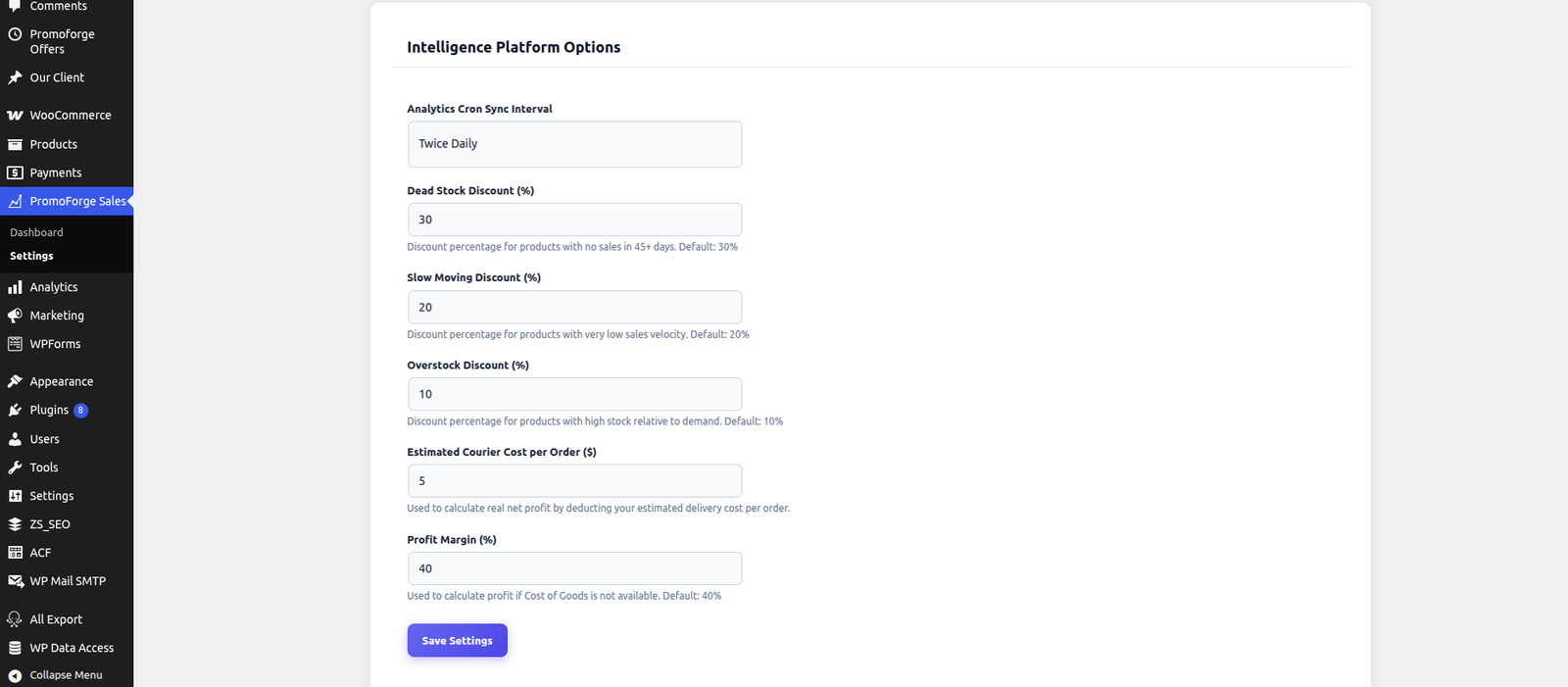
Product B hasn’t sold in 45 days.
Consider creating a targeted discount campaign to increase product movement.
Low Conversion
Product C receives high interest but generates low conversions.
Consider reviewing pricing, product images, product information, or other conversion factors.
Overstock
Product D has high inventory with low demand.
Consider bundling it with a stronger-selling product to increase inventory movement.
These examples demonstrate the core philosophy of PromoForge: turn store data into clear, actionable decisions.
🚀 Built for Smarter WooCommerce Growth
PromoForge Sales Intelligence is more than a reporting dashboard.
It is designed to help WooCommerce businesses understand their sales data, identify opportunities, take action, and measure results.
Whether you want to improve product performance, reduce slow-moving inventory, increase average order value, re-engage customers, or make your promotional campaigns more data-driven, PromoForge provides the intelligence needed to make better decisions.
Analyze your store.
Find the opportunity.
Take action.
Measure the result.
That’s PromoForge Sales Intelligence.
🔗 Get PromoForge Sales Intelligence for WooCommerce
Free Version
Download PromoForge Sales Intelligence for WooCommerce from the WordPress Plugin Directory.
Pro Version
Upgrade to PromoForge Sales Intelligence Pro to unlock advanced sales intelligence and campaign capabilities.
Related Plugin
Use PromoForge Smart Campaigns for WooCommerce to create and manage promotional campaigns based on the insights discovered by Sales Intelligence.