Description
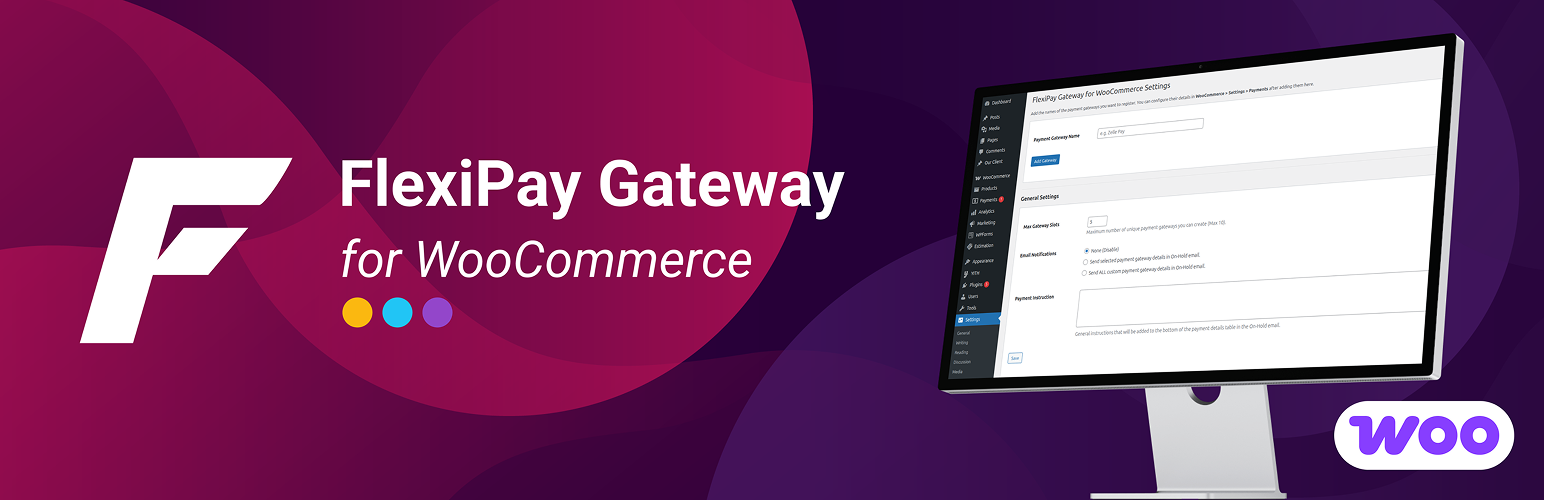
FlexiPay Gateway for WooCommerce is a flexible payment gateway plugin that allows WooCommerce store owners to create and manage custom offline payment methods directly from the WordPress dashboard.
Create multiple custom payment gateways with your own payment instructions, payment details, QR codes, and checkout display settings — without requiring a separate payment gateway integration.
FlexiPay is designed for businesses that accept manual, offline, or custom payment methods such as bank transfers, cash on delivery variations, direct deposits, UPI payments, or other payment instructions.
The plugin integrates directly with WooCommerce and provides a simple interface for managing custom gateways and displaying the appropriate payment instructions to customers during checkout.
Key Features
- Custom Offline Payment Gateways — Create and manage custom payment methods directly from WooCommerce.
- Multiple Gateway Support — Create multiple payment gateways based on your subscription plan.
- Custom Payment Instructions — Add your own payment instructions and information for each gateway.
- UPI QR Code Support — Display UPI QR codes to customers for faster manual payments.
- Custom QR Code Uploads — Upload your own QR code image for individual payment gateways.
- Automatic QR Code Generation — Generate UPI QR codes automatically for supported configurations.
- Gateway-Specific Instructions — Display different payment instructions depending on the selected payment method.
- Checkout Integration — Custom gateways are displayed directly in the WooCommerce checkout.
- Email Notifications — Include selected gateway details or available custom gateway information in customer emails.
- Flexible Gateway Limits — Control the number of active gateways according to your subscription plan.
- Real-Time License Synchronization — Manage domain activations and synchronize license information with your account.
- WooCommerce Integration — Manage your custom payment methods directly from the WooCommerce environment.
- Clean Admin Interface — Configure gateways using an easy-to-manage administration interface.
Free vs Pro
FlexiPay uses a subscription-based feature model that allows businesses to choose the gateway capacity that fits their needs.
- Free — Up to 2 custom payment gateways
- Pro — Up to 7 custom payment gateways
- Agency — Up to 10 custom payment gateways
The number of available custom gateways can be controlled according to the active subscription/license.
Custom Payment Gateways
FlexiPay allows you to create payment methods that are not available as standard WooCommerce gateways.
For example, you can create:
- Bank Transfer
- UPI Payment
- Direct Deposit
- Manual Payment
- Cash Payment
- Custom Business Payment
- Payment by Invoice
- Other offline payment methods
Each gateway can have its own name, description, payment instructions, and payment-related information.
UPI Payment & QR Codes
FlexiPay makes it easier for customers to complete manual UPI payments by displaying a QR code during checkout.
Depending on your configuration, you can:
- Generate a UPI QR code
- Upload a custom QR code
- Display payment instructions
- Provide payment information for the selected gateway
This is useful for stores that accept UPI or other QR-based manual payments.
Gateway-Specific Payment Instructions
Each custom gateway can have its own payment instructions.
For example:
Bank Transfer
Bank Name: Example Bank
Account Name: My Store
Account Number: XXXXXXXX
IFSC: XXXXXXXX
Or:
UPI Payment
UPI ID: example@upi
Scan the QR code below to complete your payment.
This allows store owners to provide customers with clear instructions for completing their payment after placing an order.
WooCommerce Checkout Integration
FlexiPay integrates with the WooCommerce checkout process.
Customers can select the custom payment method during checkout and view the relevant payment instructions configured by the store administrator.
The selected payment method is also associated with the WooCommerce order, making it easier for store administrators to identify how the customer intended to pay.
Email Notifications
FlexiPay can provide payment gateway information through WooCommerce-related customer communications.
This allows customers to receive relevant payment instructions and helps store administrators communicate the required payment details for manual payment methods.
Gateway Management
Store administrators can manage custom gateways from the WordPress dashboard.
You can:
- Create a new gateway
- Edit an existing gateway
- Enable or disable gateways
- Configure payment instructions
- Add QR code information
- Manage gateway availability
- Control the number of active gateways based on the subscription
Real-Time License Synchronization
FlexiPay includes real-time license synchronization for premium users. After purchasing a premium subscription, users can manage their plugin license directly from their account on our website.
From their account dashboard, users can:
- View their active license and subscription details
- View active domain allocations
- Activate and manage licensed domains
- Deactivate unused domain allocations
- Manage their plugin license
- Synchronize license information in real time
- Keep premium features connected with their active subscription
- Manage licenses across development, staging, and production websites
The FlexiPay plugin automatically synchronizes license information with our licensing system, helping ensure that premium features remain active while the subscription is valid.
How It Works
- Install and activate FlexiPay Gateway for WooCommerce.
- Open the FlexiPay settings from the WordPress dashboard.
- Create a custom payment gateway.
- Enter the payment method name and instructions.
- Add payment information or a QR code if required.
- Enable the gateway.
- Customers can select the payment method during WooCommerce checkout.
- The configured payment instructions are displayed to the customer.
- The selected payment method is stored with the WooCommerce order.
Perfect For
FlexiPay is useful for:
- WooCommerce stores accepting bank transfers
- Businesses accepting UPI payments
- Stores using custom offline payment methods
- Businesses accepting direct deposits
- Stores requiring custom payment instructions
- Local businesses accepting manual payments
- Businesses that need multiple custom payment methods
- WooCommerce stores that do not require a traditional online payment gateway for every transaction
Why Choose FlexiPay?
WooCommerce provides several standard payment options, but many businesses need custom payment methods with their own instructions and payment details.
FlexiPay provides a structured way to create and manage these custom payment methods without having to develop a separate payment gateway integration for every offline payment workflow.
With support for multiple gateways, custom instructions, QR codes, WooCommerce checkout integration, email communication, and subscription-based gateway limits, FlexiPay provides a flexible solution for businesses with custom payment requirements.
Compatibility
- WordPress 5.0+
- WooCommerce 7.0+
- PHP 7.2+
- Supports simple and variable products
- Designed for WooCommerce checkout and order workflows